
• Set Up Free Zoho Mail for Your Business

    Build customer trust with professional business email on your company domain. Zoho Mail for business combines secure communication, flexible administration, spam protection and collaboration tools in one ad-free platform.
    Book a Meeting
    Try it For Free

Official Zoho Partner

10+ Years Experience 

700+ Projects Delivered

Trusted by Growing Business

Zoho Mail Benefits for Your Business

Ad-free Email

Clean, ad-free inbox experience for you and your team.

Secure & Private

Keep your business email private and protected.

Custom Email

Use your domain for professional email identity.

Integrated Apps

Works seamlessly with Calendar, Contacts, Tasks and more.

Mobile

& Desktop Access

Access your email anywhere, on any device.

Reliable

& Scalable

Dependable email infrastructure that grows with you.

Migrate from Your Current Email Platform

Google

Gmail for Business

Microsoft 365

Outlook & Office 365

Exchange

On-premise or Hosted

cPanel

Webmail & WHM
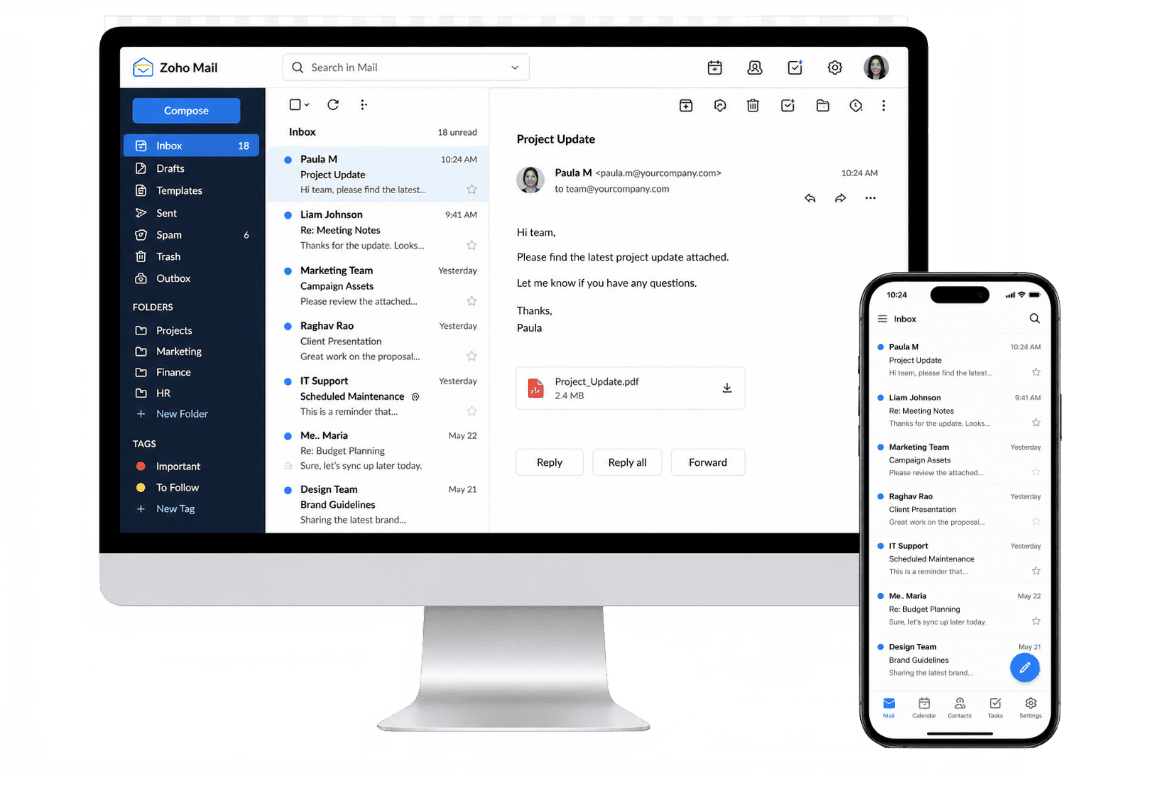
Try Zoho Mail Free for 15 Days

Explore secure, ad-free business email with your custom domain before choosing between available Zoho Mail pricing plans.

  • 15-day free trial with no credit card required
  • Custom domain setup for your business
  • Secure user inbox and mobile app access
  • Assistance from CRMOZ and Zoho Mail customer service
Try it For Free

Zoho Mail for Every Stage of Business

Startups

Get professional email without the cost.

Small Businesses

Build trust with custom business email.

Growing Teams

Collaborate securely and scale with ease.

Enterprises

Advanced security, compliance & control.

Choose the Right Zoho Mail Plan for Your Business

Mail Lite

1,05$

/user/month billed annually

No monthly plan

✓ Enterprise-grade custom email

✓ 5 GB mail storage per user

    Try it For Free

    Mail Premium

    4,20$

    /user/month billed annually

    No monthly plan

    ✓ Enterprise-grade custom email

    ✓ 50 GB mail storage/user + 50 GB retention storage/user

    Try it For Free
    Best Value

    Workplace Standard

    3,15$

    /user/month billed annually
    4,20$/user/month

      ✓ Enterprise-grade custom email

      ✓ 30 GB mail storage per user

      ✓ File storage starts at 100 GB/team

      Try it For Free

      Mail Lite

      1,32$

      /user/month billed annually

      No monthly plan

      ✓ Enterprise-grade custom email

      ✓ 10 GB mail storage per user

        Try it For Free

        Mail Premium

        4,20$

        /user/month billed annually

        No monthly plan

        ✓ Enterprise-grade custom email

        ✓ 50 GB mail storage/user + 50 GB retention storage/user

        Try it For Free

        Workplace Professional

        6,31$

        /user/month billed annually
        7,36$/user/month

        ✓ Enterprise-grade custom email

        ✓ 100 GB mail storage/user + 100 GB retention storage/user

        ✓ File storage 1 TB/team

        Try it For Free

        Manage Your Zoho Mail Workspace

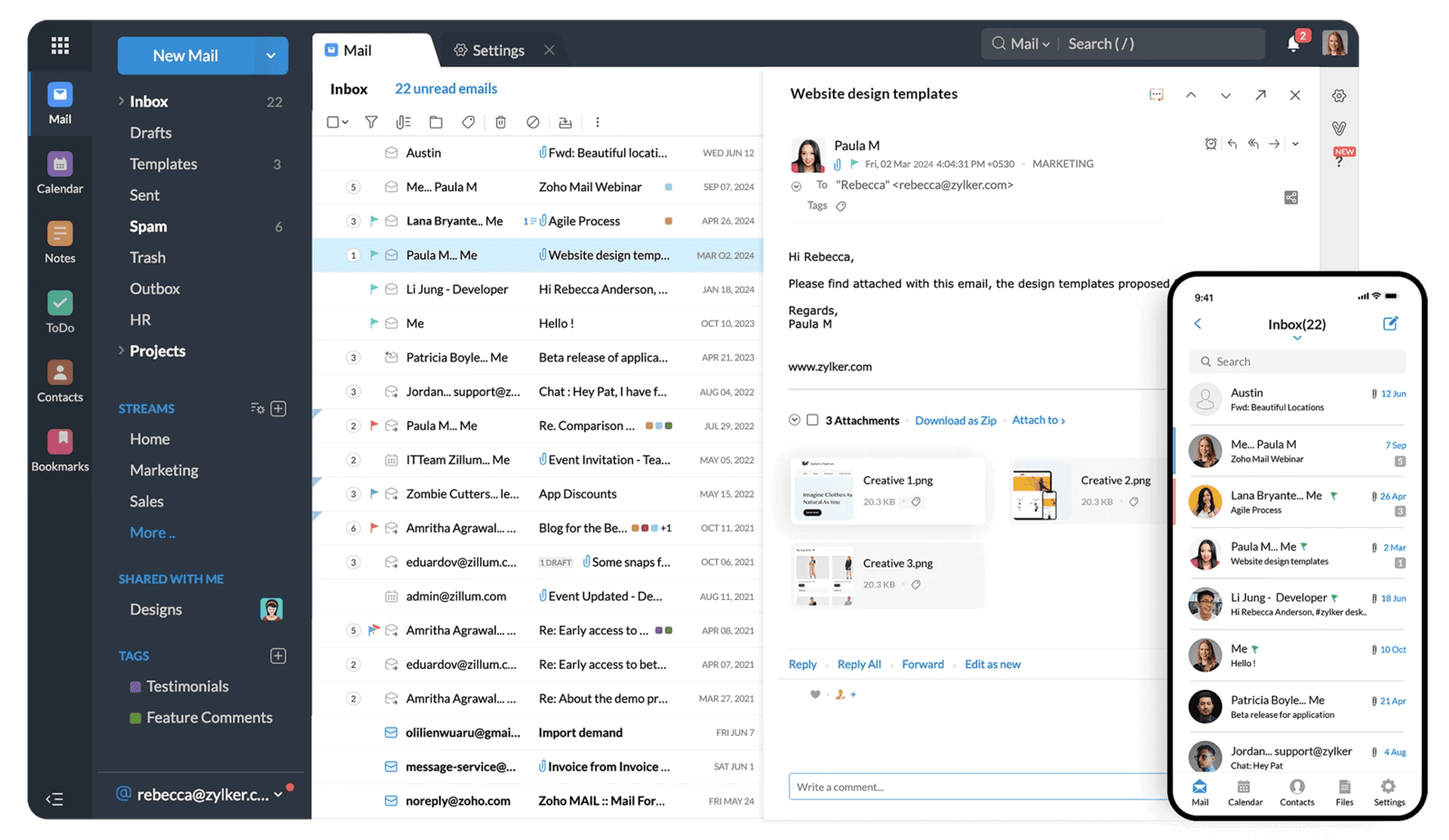
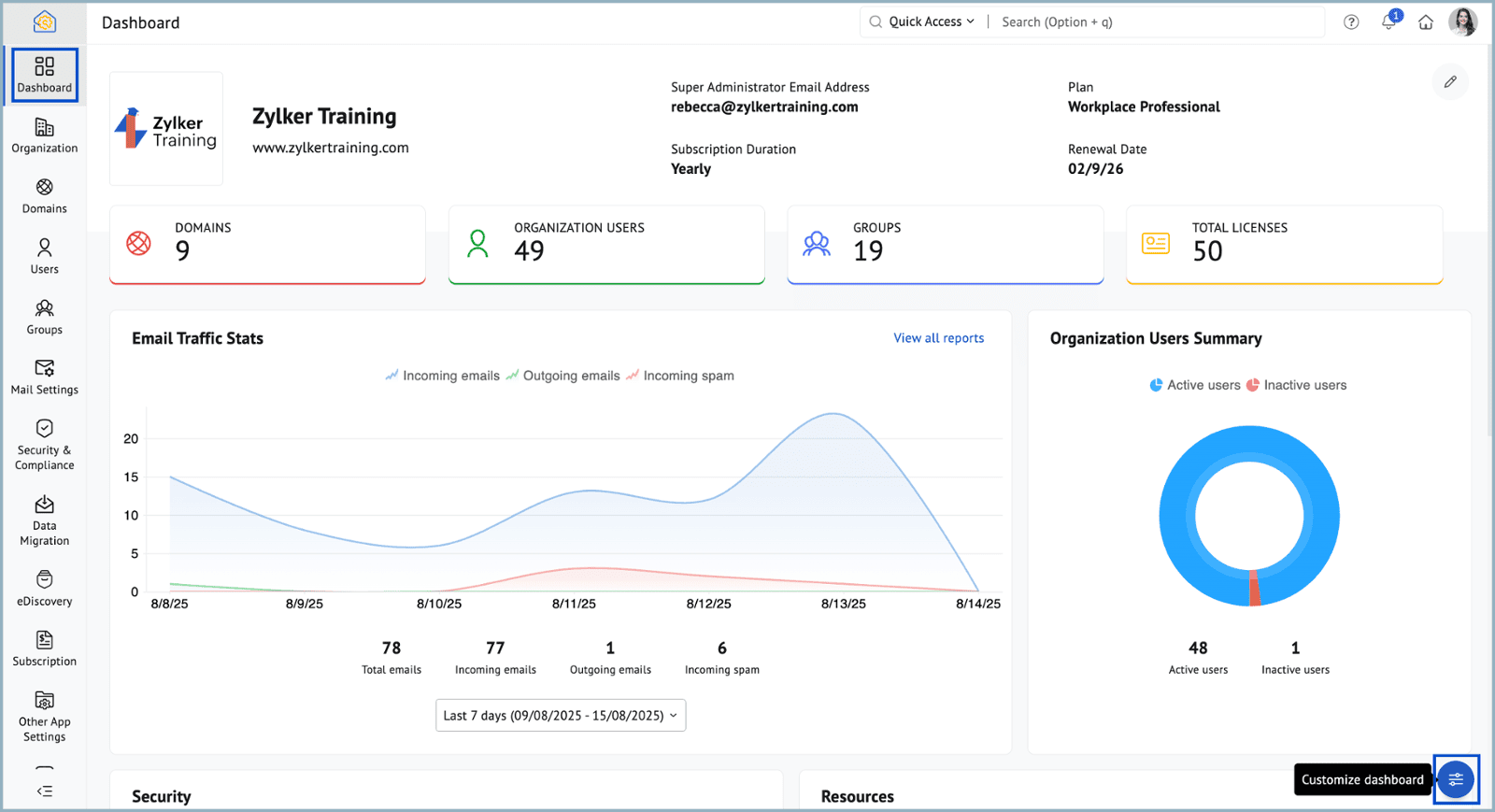
        Make your workspace more useful by customizing the Zoho Mail dashboard around your organization’s workflow. From the Admin Console, administrators can arrange widgets and choose which account, security and email activity data appears on the home screen.

        Use the control panel to monitor users, domains, groups and licenses, while keeping important insights easy to access. A personalized dashboard reduces unnecessary navigation and gives administrators a clear overview of their organization.

        Available Zoho Mail integrations also connect business email with Zoho CRM, Contacts, Tasks, WorkDrive and shared calendars.
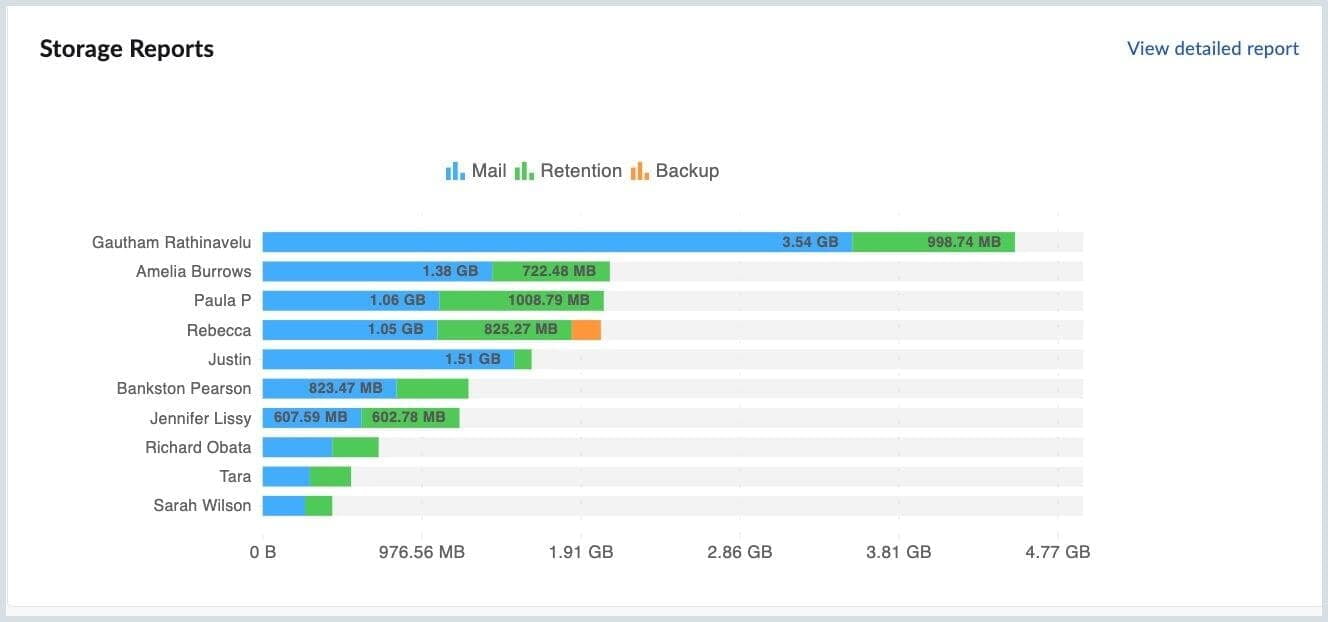
        Track how your organization uses Zoho Mail storage with detailed reports for Mail, Retention and Backup. See the amount of space allocated to every user inbox and identify accounts consuming the most storage.

        These reports help administrators recognize storage trends, manage available capacity and make informed decisions about email data. Depending on the selected plan, organizations can access additional retention capacity and cloud storage through Zoho WorkDrive.

        When comparing Zoho Mail pricing for business, consider mailbox limits, retention requirements, cloud storage and the number of user licenses your organization needs.
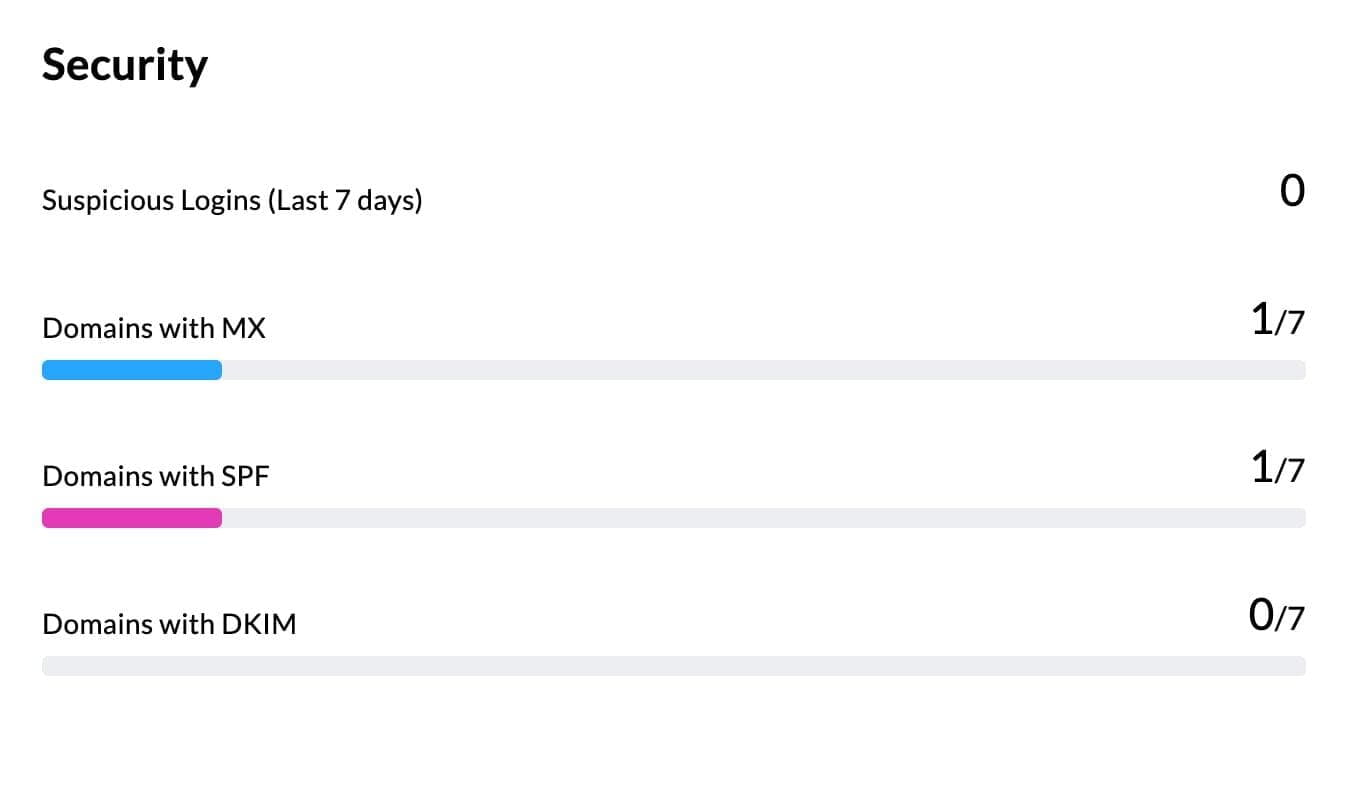
        Monitor your organization’s email protection from the security dashboard. Essential Zoho Mail security features include suspicious-login monitoring, spam protection, two-factor authentication and domain authentication through MX, SPF, DKIM and DMARC.

        Use these insights to identify configuration gaps and protect company domains from spoofing, phishing and unauthorized access. Advanced Zoho Mail features also support S/MIME encrypted email, retention, eDiscovery, IP restrictions and mobile access management.

        With properly configured security policies, Zoho Mail for business provides a controlled environment for professional communication.
        Zoho Solutions for Email and Collaboration

        TeamInBox

        Shared Mailbox

        Toolkit

        MX Lookup Tool

        Zeptomail

        Transactional email service

        Workplace

        Email and Office Suite

        Choose Privacy. Choose Zoho.

        Frequently Asked Questions

        The trial gives you 15-day access to Zoho Mail’s advanced business email features. You can explore administration tools, email hosting, security settings, integrations, and collaboration features before selecting a plan.
        Before subscribing, review the Zoho Mail free plan details, regional availability and Zoho Mail pricing per user per month. The Zoho Mail free custom domain option is available only in select data centers.

        Zoho Mail storage depends on the selected plan. The Free plan includes 5 GB of email storage per user inbox. Paid editions provide between 5 GB and 100 GB per user, while premium plans may include separate retention storage for archiving and eDiscovery. Additional storage can also be purchased when required. Key Zoho Mail security featuresinclude spam protection, TLS encryption, two-factor authentication, suspicious-login alerts, password policies and IP-based access restrictions. Advanced plans add S/MIME encrypted email, data-loss prevention, email retention and mobile access management.

        To set up Zoho Mail for business with an address, add your domain through the Zoho Mail Admin Console. Verify domain ownership by adding the provided TXT or CNAME record to your DNS settings. Next, create user accounts and update the domain’s MX records so incoming messages are delivered to Zoho. You should also configure SPF, DKIM and DMARC for better deliverability and spoofing protection. Once the domain setup is complete, employees can access their business email through the web interface, desktop clients or the Zoho Mail mobile app.

        For an individual Gmail account, first create the corresponding mailbox in Zoho Mail. Then open the Admin Console, select Data Migration and create an IMAP migration using port 993 and SSL. Gmail may require a 16-digit app password instead of the regular account password. Select the folders and date range you want to transfer, map the Gmail address to the destination Zoho mailbox and start the migration. Monitor its progress from the Zoho Mail dashboard and review any failed messages before changing your MX records.

        Begin by adding and verifying your company domain, selecting suitable Zoho Mail pricing plans, and creating all destination users. In Data Migration, choose Google Workspace as the source and authenticate access using a Google Workspace Super Admin account, service account and JSON or P12 key. Zoho can migrate email, contacts and calendars while allowing administrators to select folders and date ranges. Review overlapping Gmail labels because they may create duplicate messages and increase storage use. Run the migration, check its reports, complete a final synchronization and only then point the domain’s MX records to Zoho Mail.

        Yes. Zoho business mail can be a secure enterprise alternative when its controls are configured correctly. It supports TLS encryption, two-factor authentication, suspicious-login alerts, IP restrictions, password policies, SAML-based single sign-on and administrative incoming and outgoing rules. Higher-tier Zoho Mail features include S/MIME encrypted email, retention, eDiscovery, mobile access management and data-loss prevention. SPF, DKIM and DMARC can further protect a custom domain from spoofing and phishing. However, businesses should compare compliance, retention, identity-management and integration requirements before selecting a plan.
        Zoho offers a Forever Free plan, but availability depends on the data center. Current Zoho Mail free plan details include hosting for one custom domain, up to five users and 5 GB per user. This makes Zoho Mail free custom domain hosting suitable for a small team, but the plan does not include IMAP, POP or ActiveSync. If you add a sixth user, all users must move to a paid subscription. Businesses may also need to upgrade for more storage, desktop-client access, retention, eDiscovery, S/MIME and advanced administration. Zoho Mail pricing per user per month varies by edition, region and billing term. 
        After the trial, premium features become unavailable. Depending on your region and eligibility, your account may move to the free plan for up to five users, or you can upgrade to a paid Zoho Mail plan.

        Yes. CRMOZ can help you select a plan, verify your domain, configure DNS and MX records, create users, migrate existing emails, and prepare Zoho Mail for your team.