Freshdesk vs Zoho Desk: what to choose
Year after year, customer service becomes increasingly complex, driving a constant rise in demand for high-quality customer support software.
There are many tools available on the market, but the dominant players are Freshdesk by Freshworks and Zoho Desk, a product of Zoho Corporation. Both of these tools operate in a similar price segment and offer comparable functionality. We will compare the features, functionality, and pricing of these products to help you determine which software is ideal for your specific business processes.
Freshdesk
Freshdesk is a product of Freshworks, which was founded in India in 2010 by Girish Mathrubootham.
Zoho Desk
Zoho was founded in 1996, and since then, the company has released a wide range of software products to meet the needs of modern business.
Zoho Desk is an omnichannel customer service solution that enables companies to easily manage customer support operations. Managers can assign, configure, and monitor support team notifications, track customer satisfaction, and build a loyal customer base.
To get the most out of this customer service tool, it can be seamlessly integrated with other business applications your team uses and expanded with custom capabilities via API.
Comparison Criteria
To compare the tools, it is necessary to identify some common features between them. How user-friendly is their interface? What is their pricing policy? What reporting or automation features are provided?
To answer these and other questions, criteria were defined by which these products will be evaluated:
User Type
Interface
Functionality
Support Service
Pricing
Freshdesk vs Zoho Desk: User Types
Among Freshdesk's clients are several major brands (Bridgestone, Hamleys, 7-Eleven), but it is also attractive to small and medium-sized business clients. The forever free plan makes Freshdesk a good option for freelancers or small startups.
Freshdesk is easy to use and allows users to get started quickly. There is also the ability to integrate Freshdesk with popular business tools such as Jira, MailChimp, SurveyMonkey, DropBox, Shopify, and others.
Zoho Desk is customer service software used by leading brands such as McAfee, Godrej, Rogers, Cummins, and many others.
Like Freshdesk, Zoho Desk also offers a free plan and, therefore, can be an ideal option for startups, small businesses, or freelancers who want to offer their clients quality service.
For medium-sized businesses that need powerful automation capabilities, Zoho Desk can also be a good option.
Freshdesk vs Zoho Desk: interface
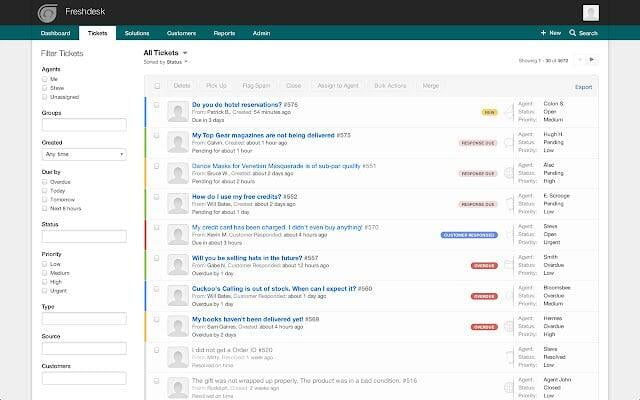
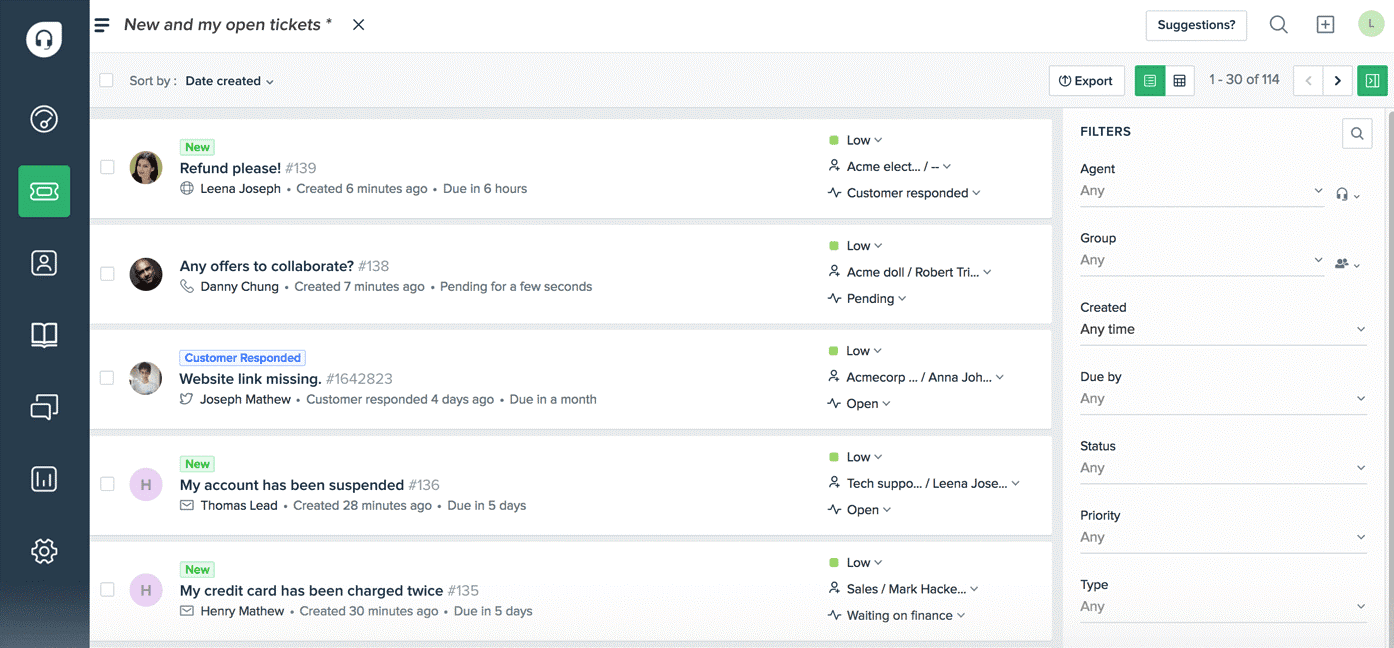
Freshdesk offers a convenient and attractive interface, making it easy for users to locate important features.
All customer inquiries or complaints can be stored in one central location. Easily sort and filter customer support requests using multiple metrics on the right side of the screen. Users can sort and categorize tickets by priority, tags, source, date, and more.
All tickets generated from chats, calls, emails, social media, and other channels can be found directly on the main dashboard.
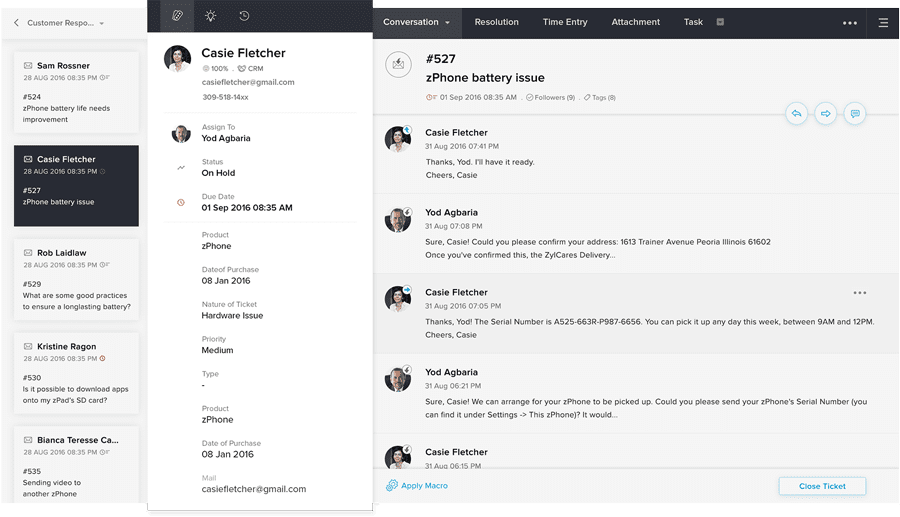
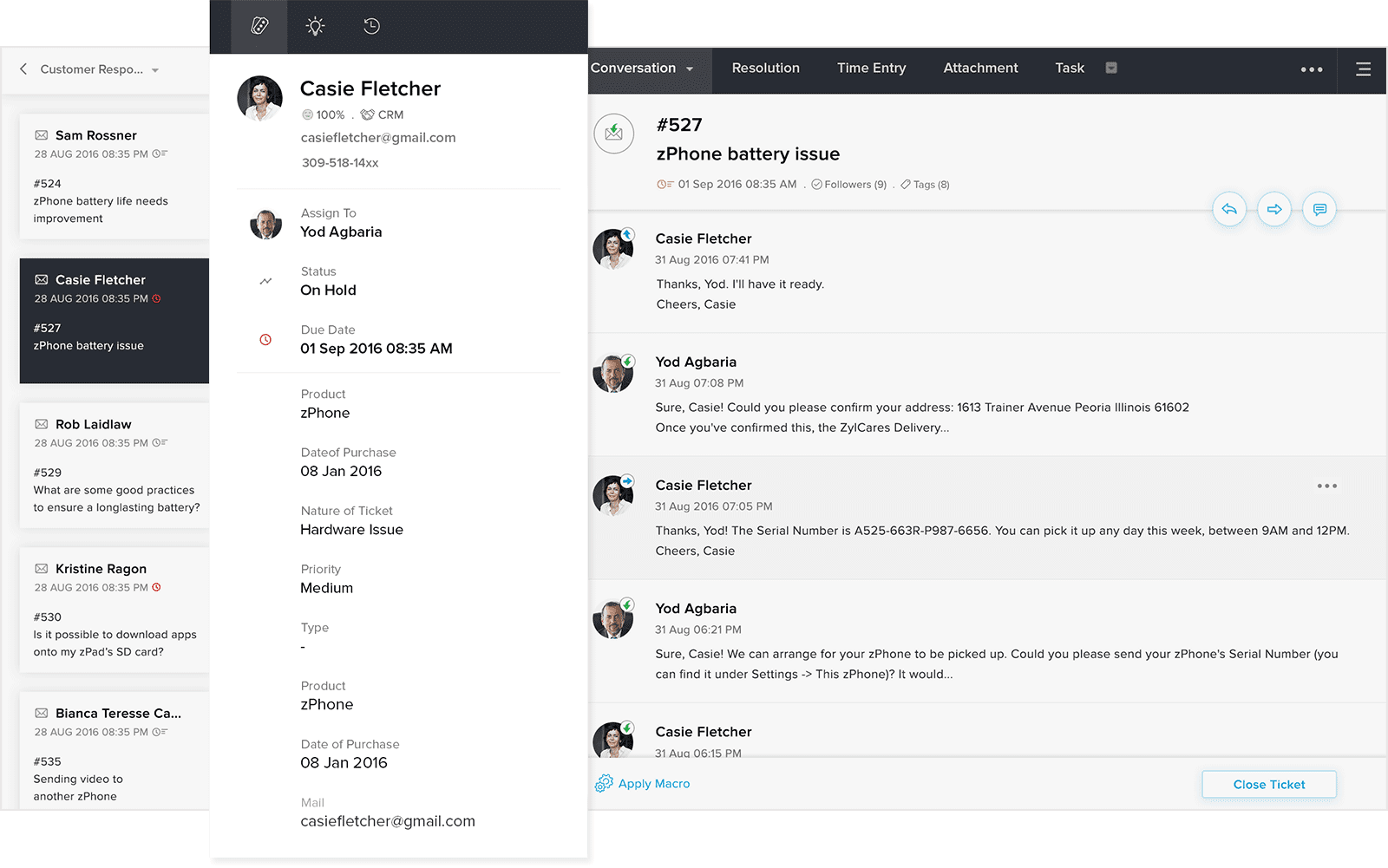
When comparing Zoho Desk and Freshdesk, Zoho offers greater flexibility for interface customization. For instance, you can personalize fine details—such as applying your company logo to the custom domain, creating custom fields to store extra data, and designing custom email or chat templates.
Freshdesk vs Zoho Desk: functionality
1. Ticket Management
Freshdesk:
Freshdesk offers a simple yet effective ticket management system that can help your customer support team respond online.
Thanks to the collision detection feature, an agent can see who else is currently viewing or responding to a customer ticket. This is a great feature that prevents sending multiple responses to the same customer. You can also merge similar tickets together to increase efficiency.
Freshdesk allows you to set service level agreements (SLAs) so employees clearly understand their deadlines. Staff members can receive reminders or notifications when tickets remain unanswered, and inquiries can also be automatically reassigned to another manager.
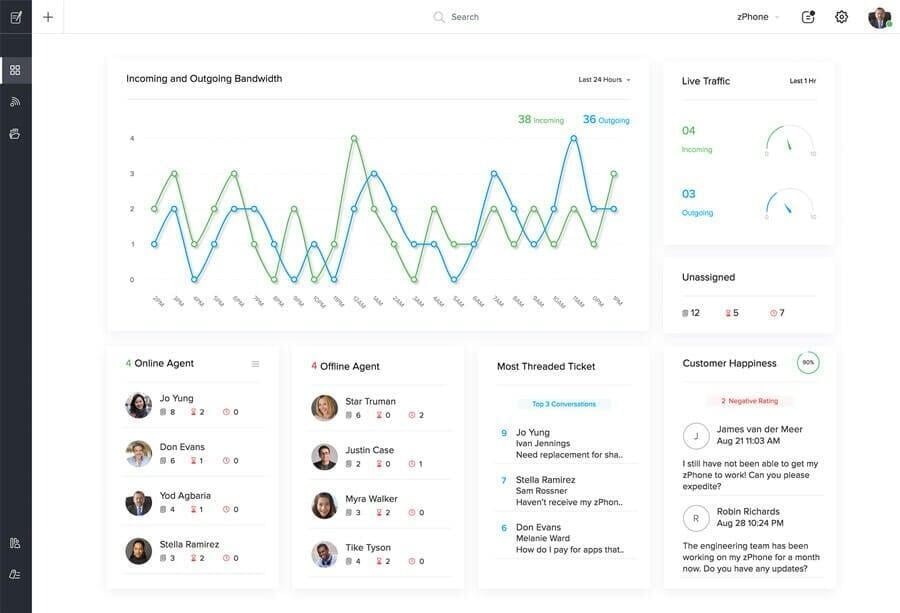
The ticket management system in Zoho Desk includes omnichannel capabilities. It allows you to collect support requests across multiple channels—such as email, phone, chat, social media, and more—and organize them within a single interface.
Comparing Freshdesk to Zoho Desk, it is worth noting that Zoho's product streamlines working with customer inquiries. For example, you can filter support tickets by urgency, customer type, priority, or ticket status. Once a filter is applied, the relevant inquiries appear at the top so employees can easily prioritize their tasks.
Furthermore, when Zoho Desk is integrated with Zoho CRM, employees can access real-time customer information directly within the ticket management system.
2. Live chat
Like other customer service products, Freshdesk allows you to assist customers online via live chat. You can send proactive chat messages to customers so they know an agent is online and ready to help.
In addition to live chat, Freshdesk also helps improve messaging across social media channels. Thanks to integrations with WhatsApp, Apple Business Chat, and Facebook, you can track all social media messages in one place and respond faster.
You can also set up chatbots to assist customers with basic inquiries and route conversations to team members with the appropriate expertise.
In addition to standard functionality, Zoho Desk offers the ability to embed a chat window directly into your help center. If customers cannot find what they are looking for, they can quickly connect with a chat agent.
If resolving a chat inquiry requires more time or specialized expertise, Zoho allows you to convert the chat into a trackable support ticket.
When comparing Zoho Desk and Freshdesk, there is another key distinction: when all chat agents are busy, Zoho lets you set a wait time limit, after which the chat is automatically converted into a ticket—ensuring that no conversation is missed.
To boost brand recognition, you can also create distinct chat widgets for different brands.
3. Knowledge Base
Freshdesk:
Freshdesk allows you to create a multilingual knowledge base that supports around 42 languages, simplifying the management of a global customer base. Employees can review each other's support content, publish videos, images, or attached files in the help center, and encourage self-service.
Freshdesk helps save team time through bulk actions—for example, you can apply necessary changes to multiple categories, articles, or folders at once.
You can publish SEO-optimized content, track article performance, and collect feedback directly within the publication.
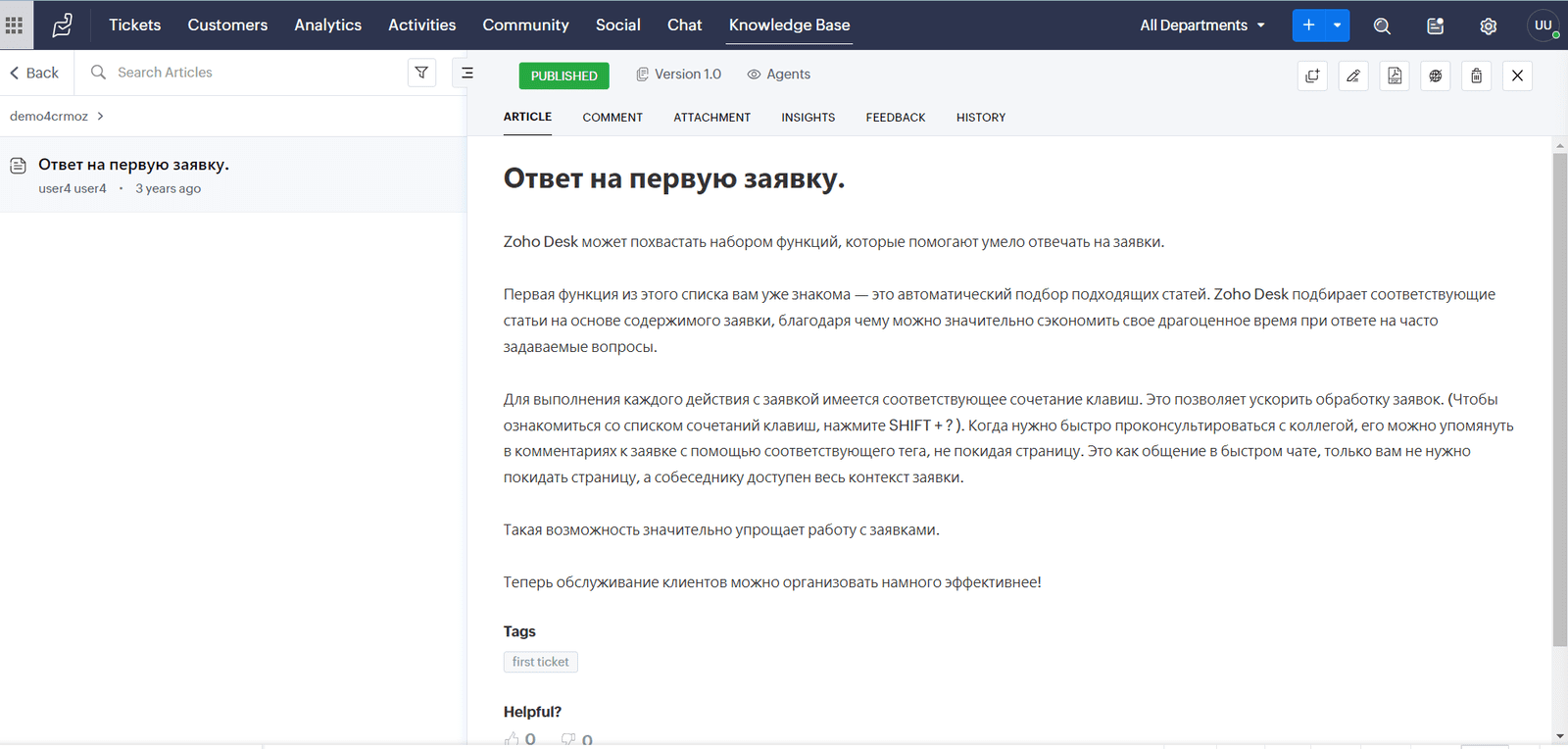
Unlike Freshdesk, Zoho Desk lets you fully customize the knowledge base with tailored support content for each brand.
You can even map a newly created knowledge base to a custom domain, making it a true extension of your brand. You can choose to provide public access to your support content or, for security purposes, restrict information access only to registered users with active accounts.
You can also allow your audience to submit tickets directly from the knowledge base if they cannot find the relevant information.
4. Reports and Analytics
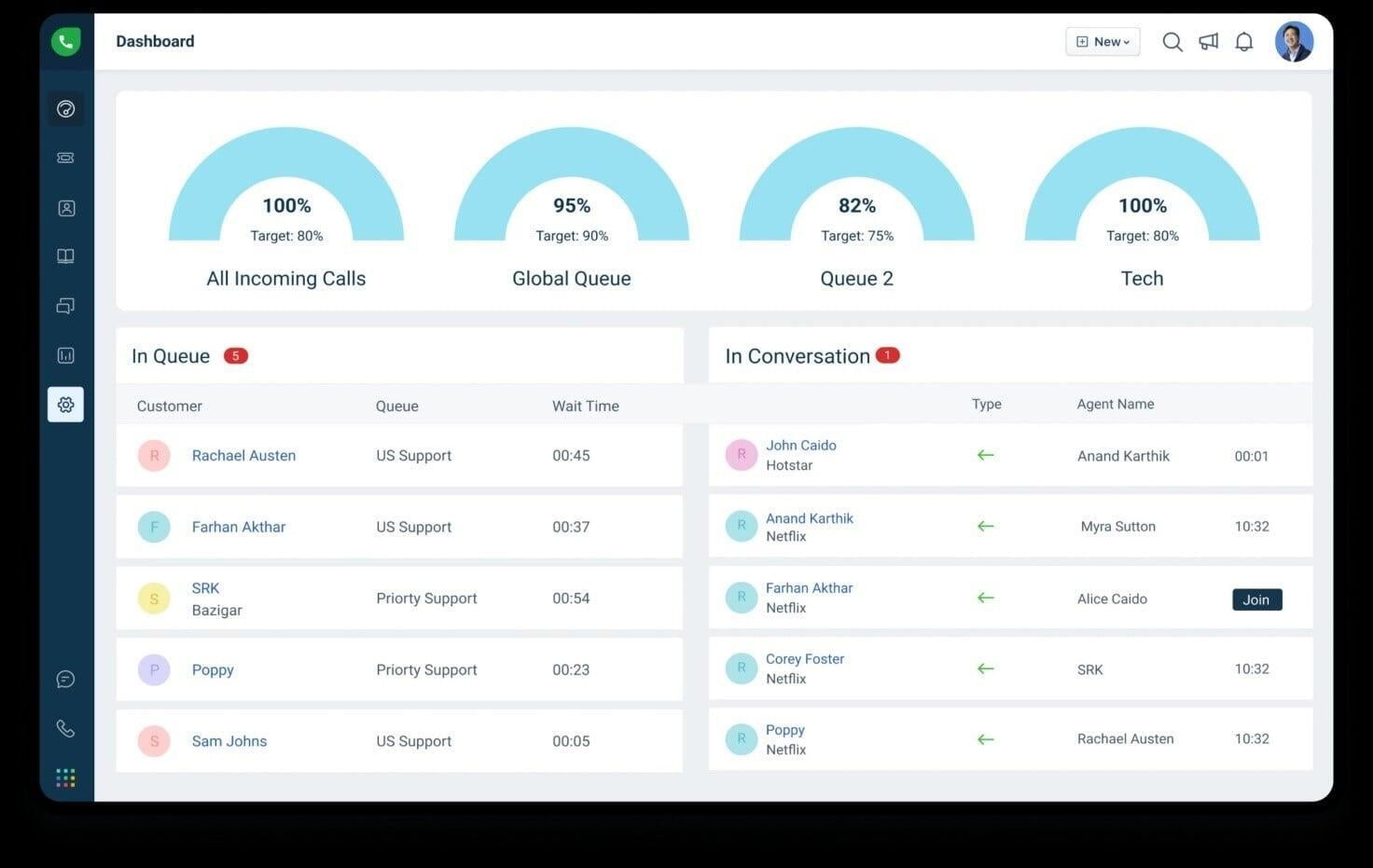
Freshdesk lets you view unassigned tickets so agents can identify which requests are pending a response. Support managers can track the average first-response time and the percentage of tickets resolved in compliance with service level agreements (SLAs).
Zoho Desk:
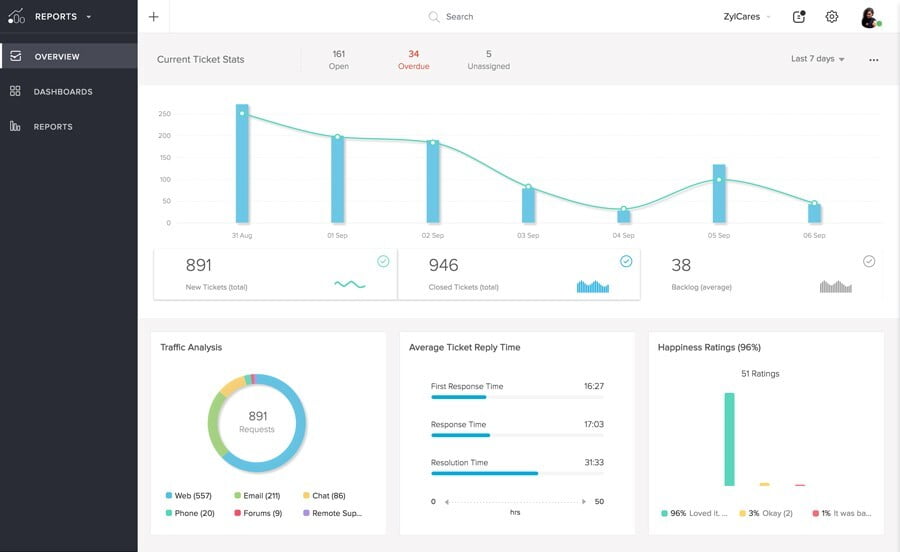
Zoho Desk features built-in detailed reports to evaluate and improve team performance. The reporting dashboard is clean, clear, and provides actionable insights for decision-making.
Using the analytics capabilities, you can track support KPIs in real time and visualize incoming ticket patterns.
5. Automation
Freshdesk:
Freshdesk offers AI-powered automation through Freddy AI.
The tool allows you to optimize workflows, automate manual and repetitive tasks, prioritize tickets, assign them to the most suitable team members, learn from past inquiries, and automatically suggest fields or tags for new tickets.
AI-driven chatbots can be programmed to provide instant, precise responses to questions asked by prospective or existing customers.
Zoho Desk:
Zoho Desk helps configure and automate ticket routing processes and assignment rules so that the right requests reach the appropriate agent or department. This saves managers time and effort, allowing them to focus on critical tasks.
Zoho Desk also leverages Zia AI technology, which can converse with customers, share knowledge base articles, automatically highlight tickets, and configure automated replies for frequently asked questions.
Additionally, you can share automated updates with customers to keep them informed about the progress of their support tickets.
Freshdesk vs Zoho Desk: Customer Support
Freshdesk:
Freshdesk provides a dedicated email address and a support contact number.
Freshdesk users can access a knowledge base featuring interactive videos on topics such as creating knowledge base articles, setting up a multilingual knowledge base, using canned responses, and more.
New Freshdesk users can enroll their customer service agents in the Freshworks Academy to sharpen skills and earn certifications. On the Freshworks community forum, users can ask questions, share tips, or connect with other peers.
Zoho Desk provides 24/5 support (24 hours a day, 5 days a week), which can present a challenge for teams operating 24/7. To get Premium or Enterprise support (24/7 coverage), an extra fee of 20% to 25% of the license cost is required. Additionally, a dedicated technical account manager is available only with the Enterprise plan.
Beyond direct support, Zoho features a free help center covering essential topics—including documentation, integrations, and webinars—as well as the latest product and feature updates.
If you cannot find the right answers, you can email the dedicated support team directly. Users can also engage with Zoho across social media platforms like Twitter, YouTube, Meta, and LinkedIn.
Freshdesk vs Zoho Desk: pricing
Free: Free plan (up to 10 agents)
Growth: $15 / user / month
Pro: $49 / user / month
Enterprise: $79 / user / month
Freshdesk comes with a 21-day free trial that lets you test the interface and full feature set to see if it meets your business needs.
The entry-level "Growth" plan starts at $15 per user per month and offers core functionality such as reporting, SLA compliance, app integrations, time tracking, and more.
While basic plans start at a low cost, Freshdesk's most comprehensive plan—Enterprise—can be quite expensive at $79 per user per month. For this price, you get features like skill-based routing, email bots, article suggestions, social messaging channels, AI tools, and much more.
- Free: Free plan (up to 3 agents)
Express: $7 / user / month* (up to 5 agents)
Standard: $14 / user / month*
Professional: $23 / user / month*
Enterprise: $50 / user / month* (Note: listed as $50/user/month in the header list, while the text below refers to $40/user/month for annual billing)
*when billed annually
Like Freshdesk, Zoho Desk offers a free plan limited to 3 agents. A 15-day free trial is available to test the platform's features.
For small businesses, Zoho Desk provides an Express plan at $7 per user per month (up to 5 users) with core essential features (ticket processing, social channels, analytics).
Zoho's base plan, Standard, starts at $14 per user per month and includes social/community channels, SLAs, customer satisfaction ratings, and more.
With the Enterprise plan ($40 per user per month billed annually), you gain access to Zia AI, multi-brand help centers, scheduled reports, and advanced custom functions.
In summary, Zoho Desk is significantly more affordable than Freshdesk. For businesses with advanced support needs, Zoho Enterprise offers comprehensive features at nearly half the price of Freshdesk’s top tier.
So which one is the best?
There is no clear winner in this comparison between Zoho Desk and Freshdesk. Both products are market leaders offering nearly identical functionality. However, there are scenarios where you might choose one over the other.
| Feature / Criteria | FreshDesk | Zoho Desk |
|---|---|---|
| Free Trial | 21 days | 15 days |
| Starting Price | From $15 / month | From $7 / month |
| Target Audience | Mid-market & Enterprise businesses | Mid-market & Enterprise businesses |
| Live Chat | ✔️ | ✔️ |
| Customer Surveys (CSAT) | ✔️ | ✔️ |
| Knowledge Base | ✔️ | ✔️ |
| Chatbot & AI | ✔️ | ✔️ |
| Real-time Analytics | ✔️ | ✔️ |
When to Choose Freshdesk?
Freshdesk is a versatile customer support tool offering an easy-to-use interface at a reasonable price. In addition to essential ticket handling features, it provides powerful automation and reporting capabilities. However, higher-tier Freshdesk plans can be quite expensive.
When to Choose Zoho Desk?
Zoho Desk matches Freshdesk feature for feature. It is ideal to use when integrated with other Zoho applications, such as Zoho CRM, Forms, SalesIQ, and others.
Furthermore, for large enterprises, Zoho Desk's Enterprise plan costs nearly half as much while delivering a powerful tool to provide high-quality customer service for a large customer base.