10 Best Practices for Better Lead Management and Business Processes
Zoho CRM automation is designed to eliminate manual work, accelerate response times, and ensure every lead, deal, and customer interaction follows a consistent process. When implemented correctly, automation improves productivity, increases visibility, and helps teams scale without adding administrative overhead.
However, many businesses struggle to get the expected results from CRM automation.
This guide explains the most common Zoho CRM workflow automation mistakes, how they impact business performance, and what you can do to build reliable, scalable automation that supports your sales and operational processes.
Signs Your Zoho CRM Needs an Audit
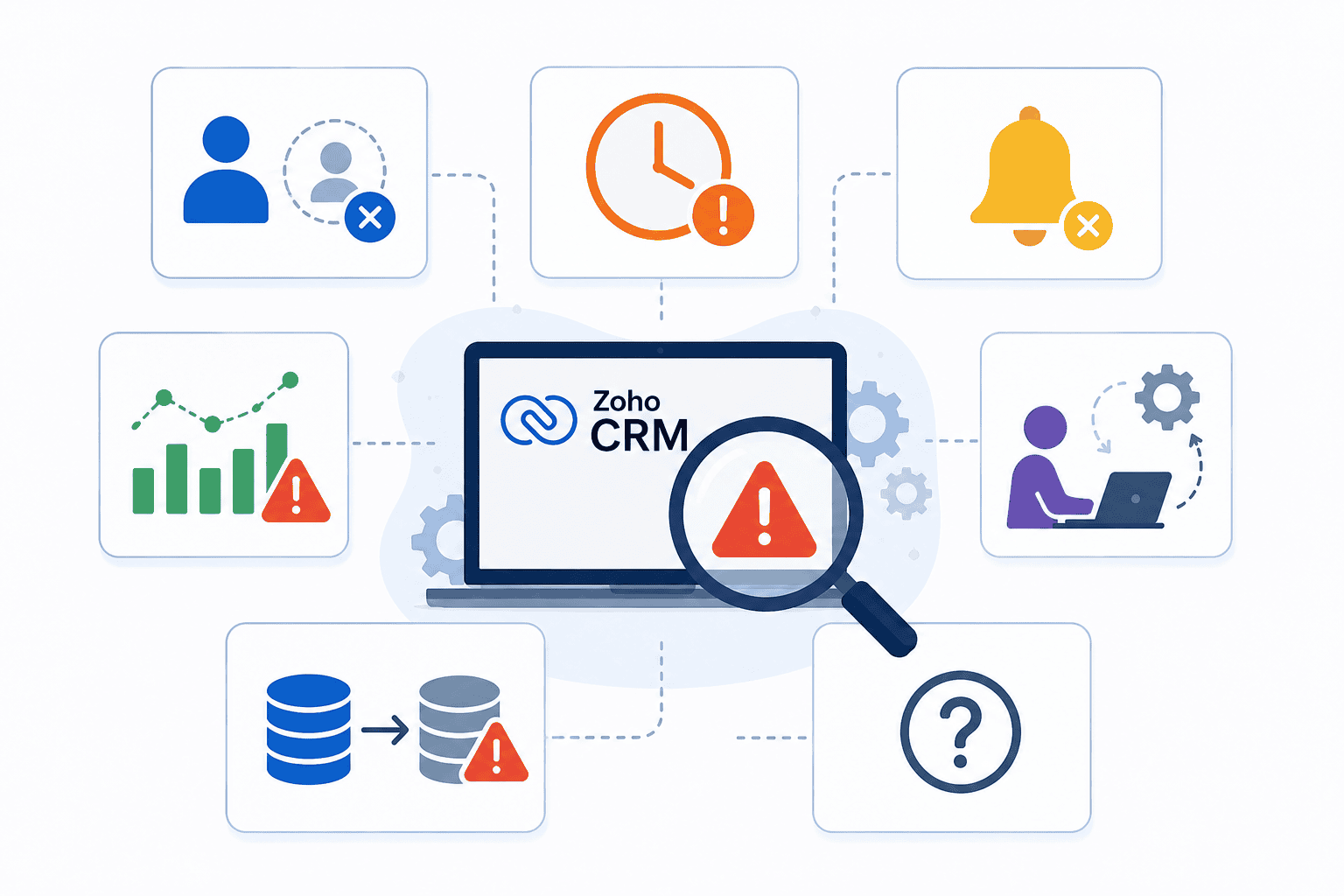
Your automation likely requires review if:
Leads remain unassigned
Approval requests get delayed
CRM notifications are ignored
Reports don't reflect reality
Sales reps create manual workarounds
Integrations produce duplicate or incorrect records
Nobody knows why certain workflows exist
10 Common Zoho CRM Automation Mistakes
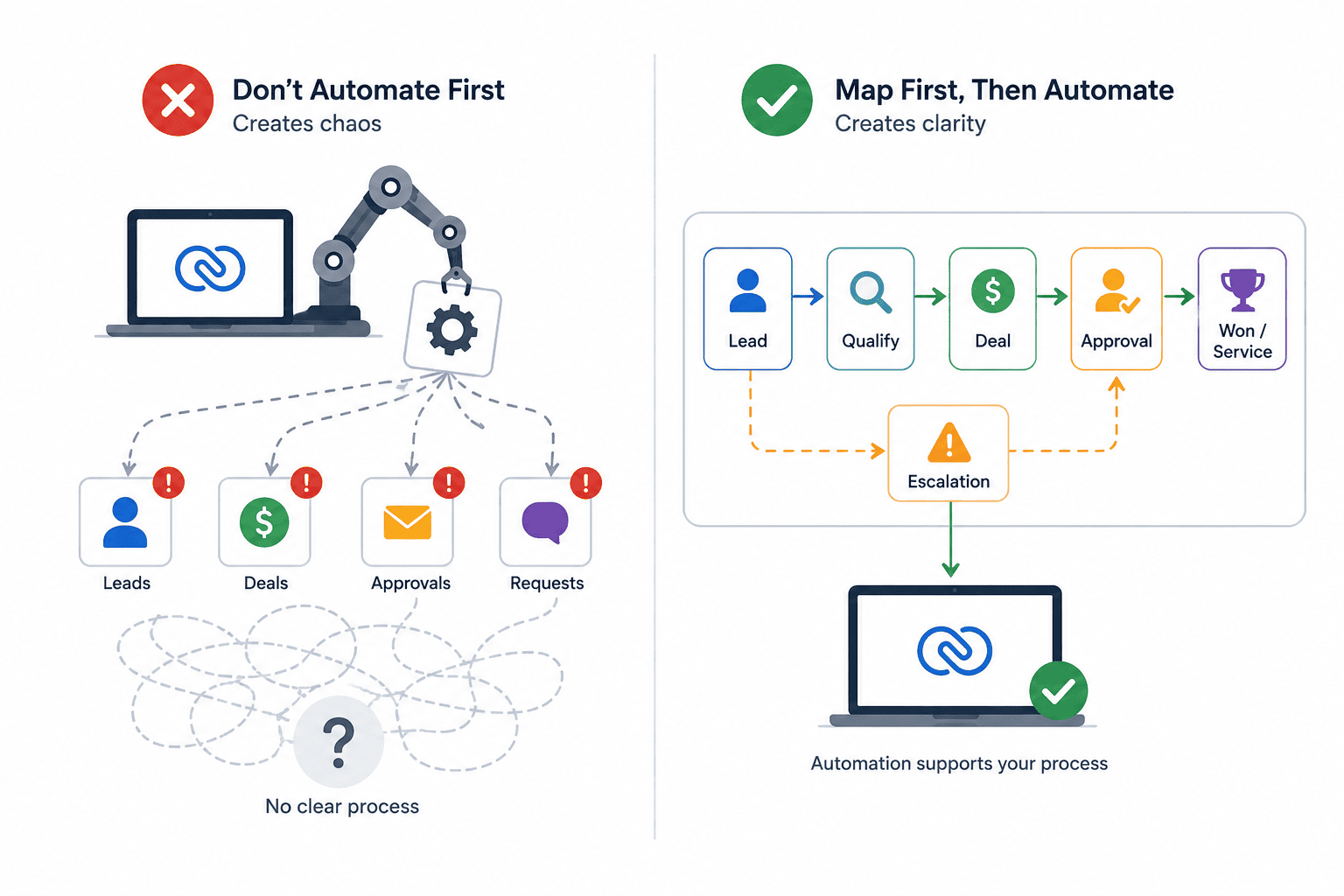
1. Automating Before Mapping the Process
Automation should support a process—not create one.
Before building workflows, document how leads, deals, approvals, and customer requests should move through your business.
Best Practice: Map the entire process, including exceptions and escalation paths, before configuring automation.
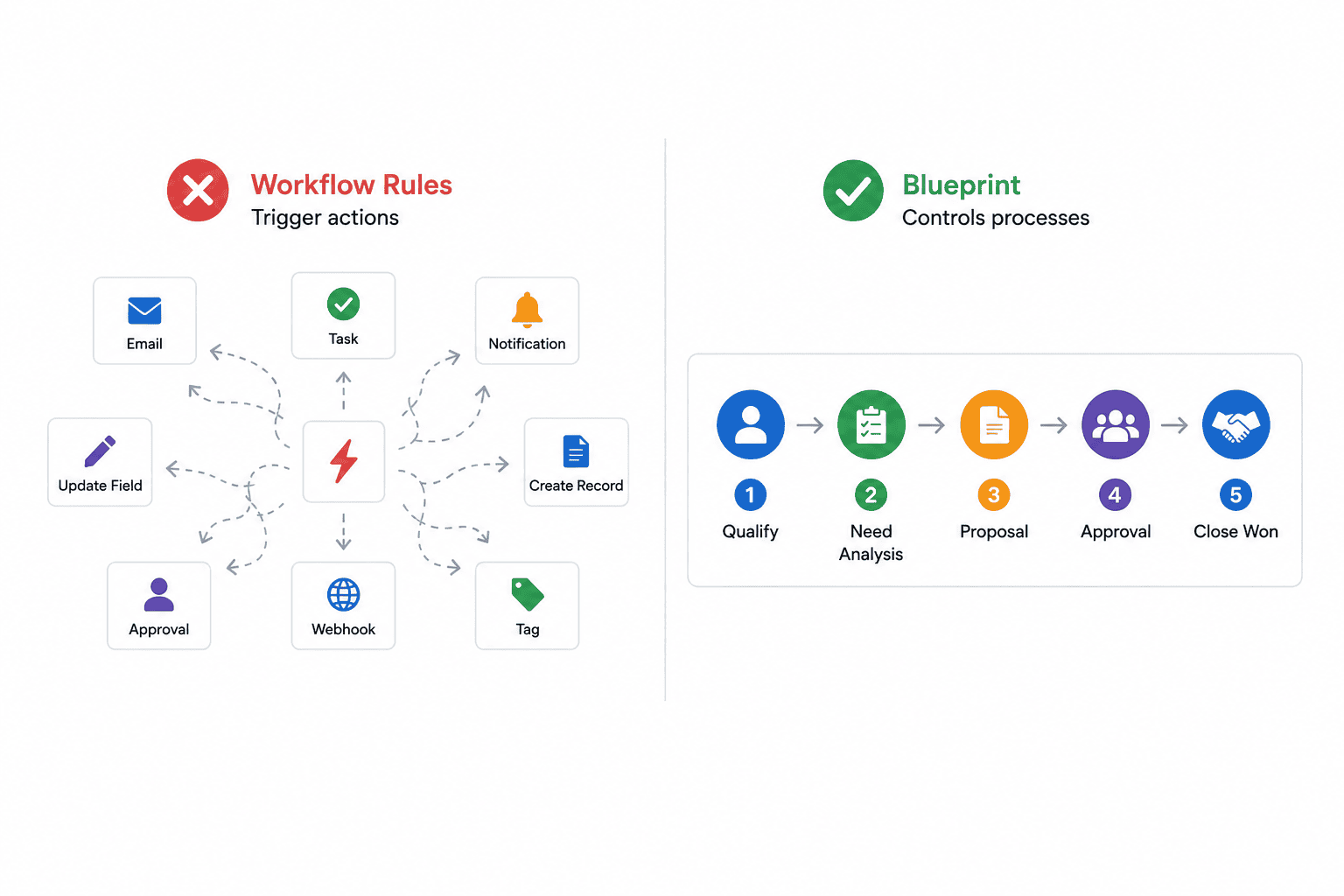
2. Using Workflow Rules Instead of Blueprint
Workflow Rules trigger actions.
Blueprint controls processes.
Many organizations try to enforce complex multi-stage workflows using only Workflow Rules, resulting in inconsistent execution and skipped steps.
Best Practice: Use Blueprint for structured sales processes, onboarding workflows, approval chains, and service delivery processes.
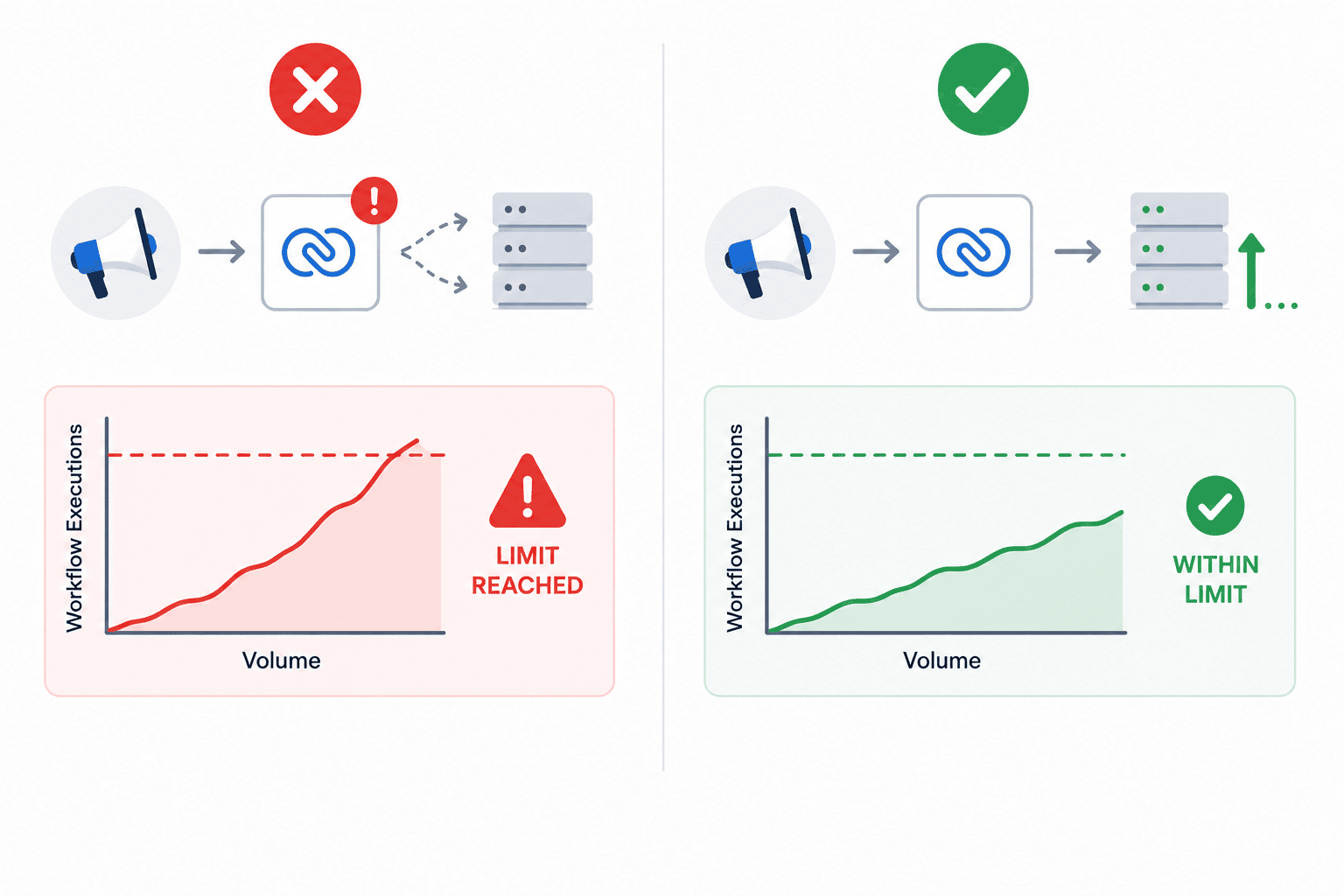
3. Ignoring Workflow and API Limits
Automation that works with test data may fail when volumes increase.
Large marketing campaigns, imports, or integrations can quickly reach workflow execution limits.
Best Practice: Design automation with scalability in mind and monitor workflow activity regularly.
4. Creating Conflicting Workflow Rules
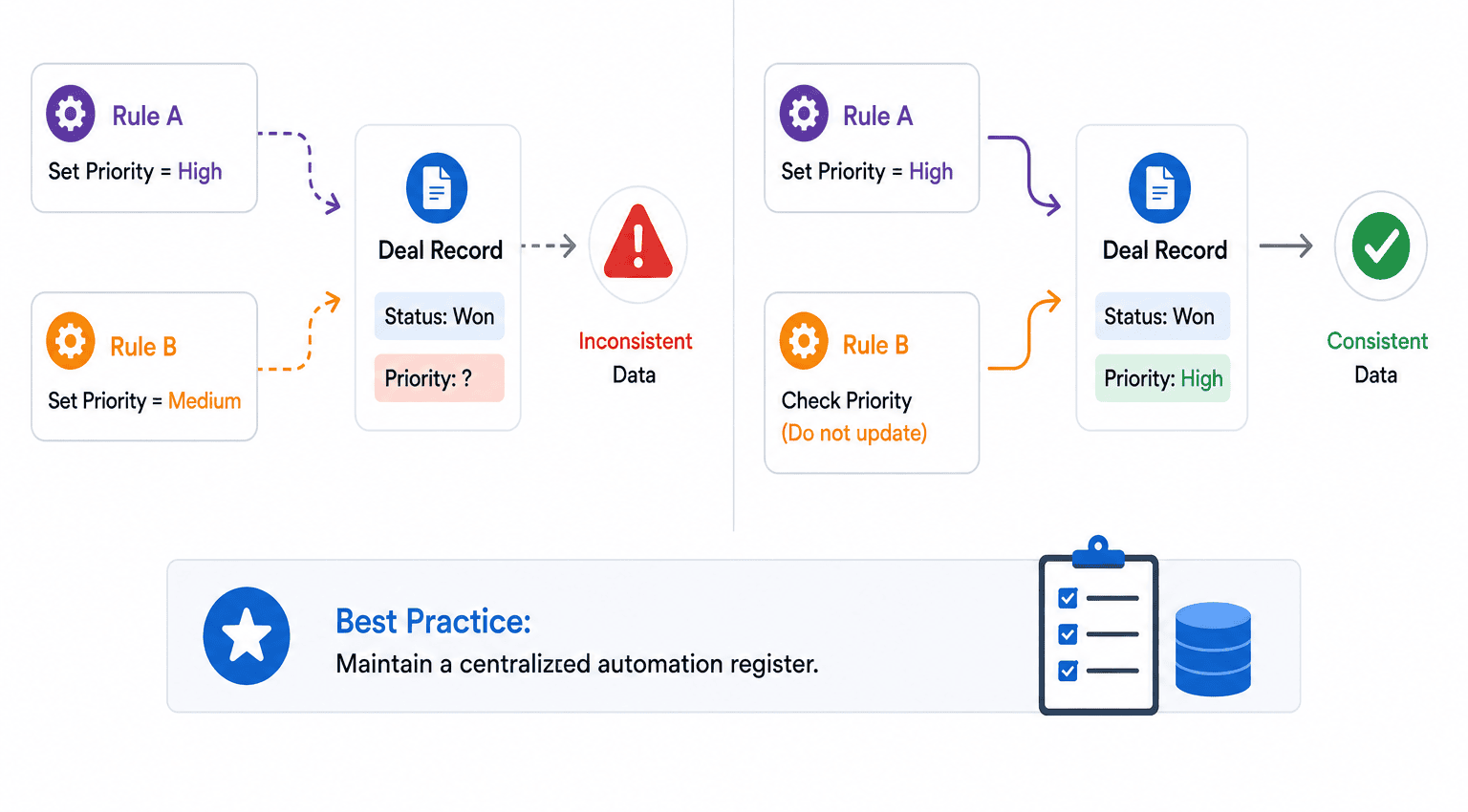
As CRM environments grow, multiple rules often update the same fields or trigger overlapping actions.
This creates inconsistent data and unpredictable automation behavior.
Best Practice: Maintain a centralized automation register documenting every active workflow and its purpose.
5. Creating Cascading Field Update Issues
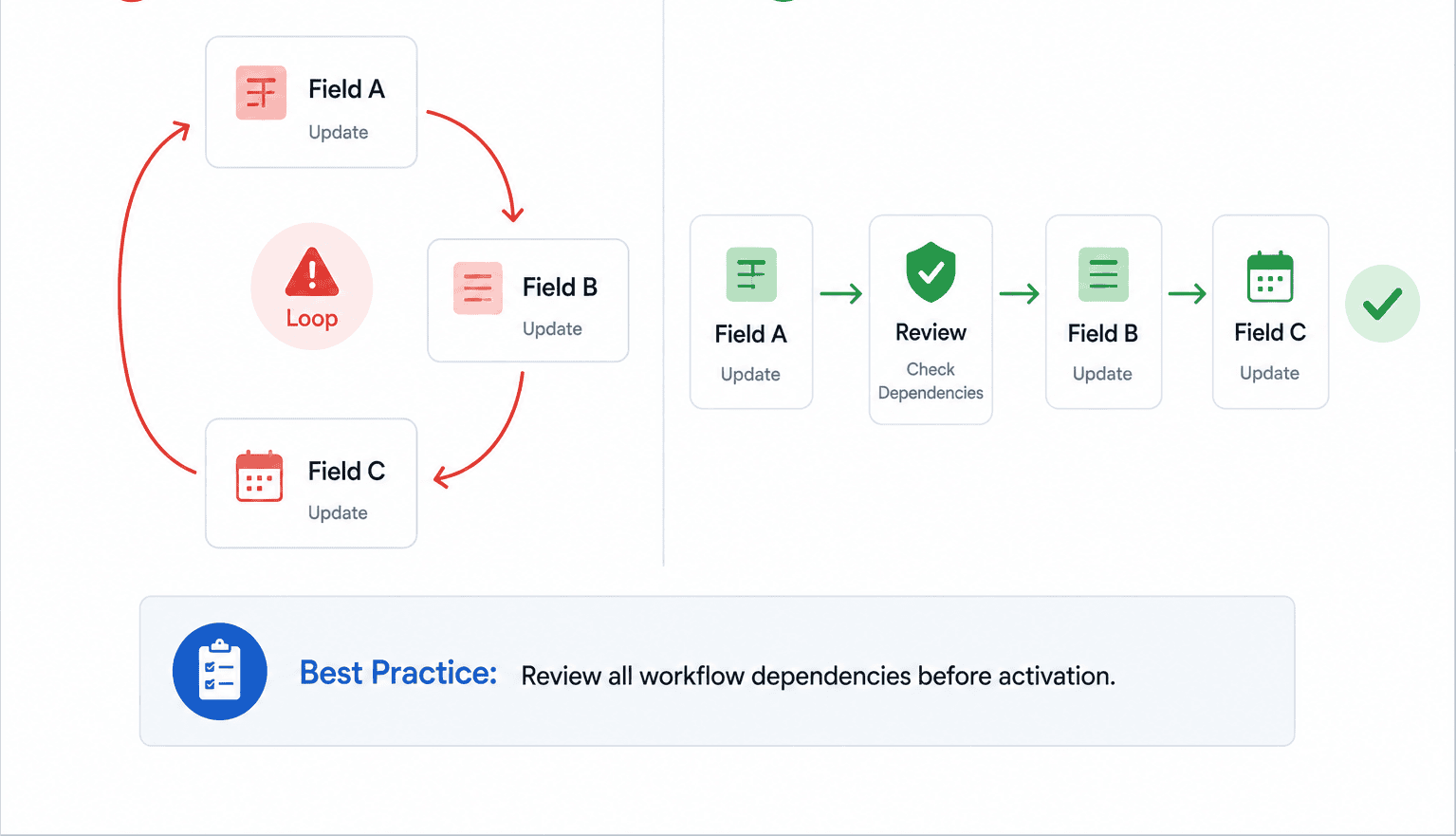
Field updates frequently trigger additional workflows.
Without proper planning, automation can create unintended update chains that generate incorrect data.
Best Practice: Review all workflow dependencies before activation.
Not sure whether your workflows are triggering unintended updates?
A professional automation review can uncover hidden dependencies, eliminate workflow conflicts, and improve data accuracy across your CRM.
6. Missing Fallback Assignment Rules
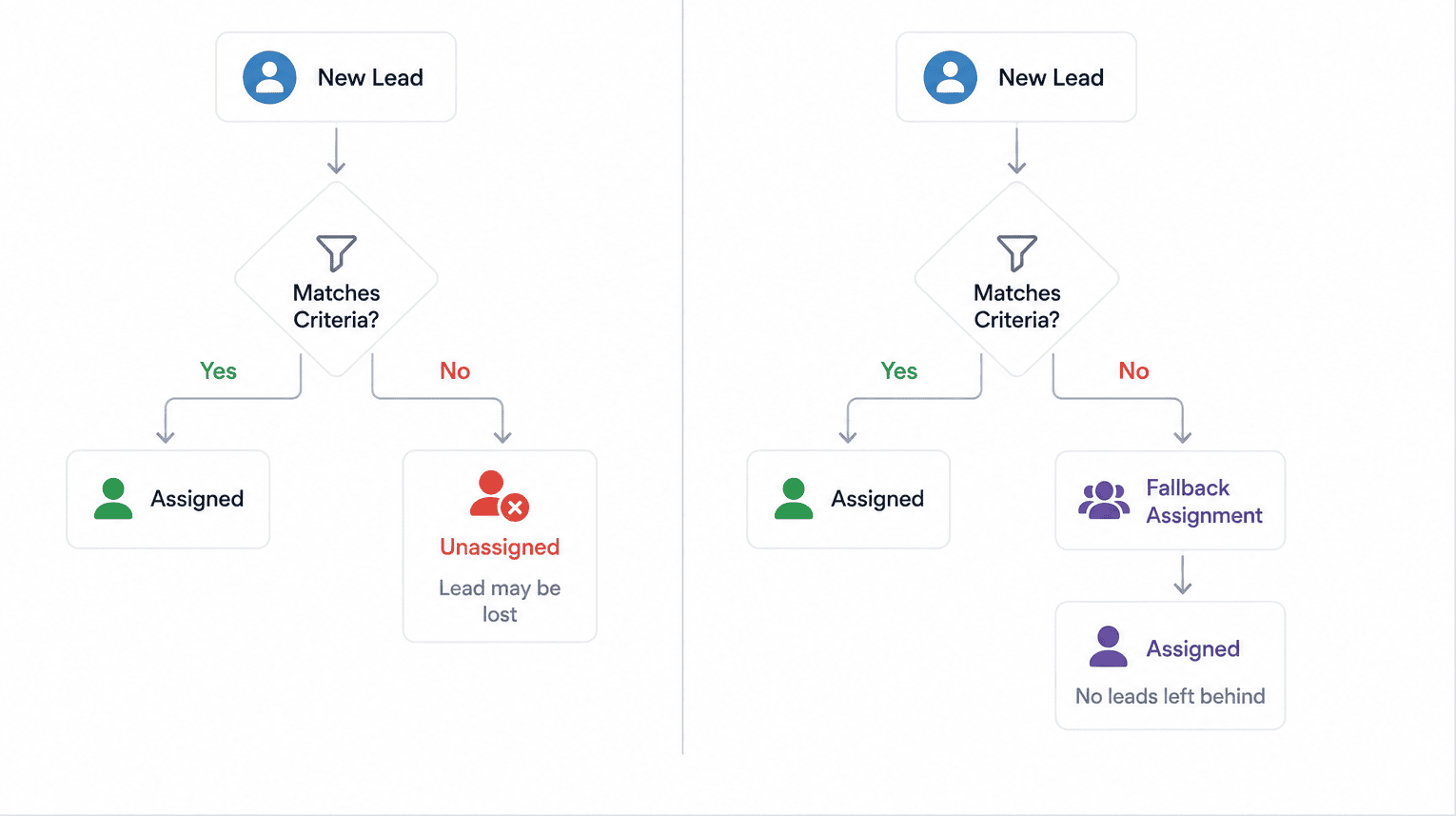
One of the most common causes of lost leads is incomplete assignment logic.
If a lead doesn't match existing criteria, it may remain unassigned indefinitely.
Best Practice: Create a default owner or shared queue for unmatched records.
7. Approval Processes Without Escalation
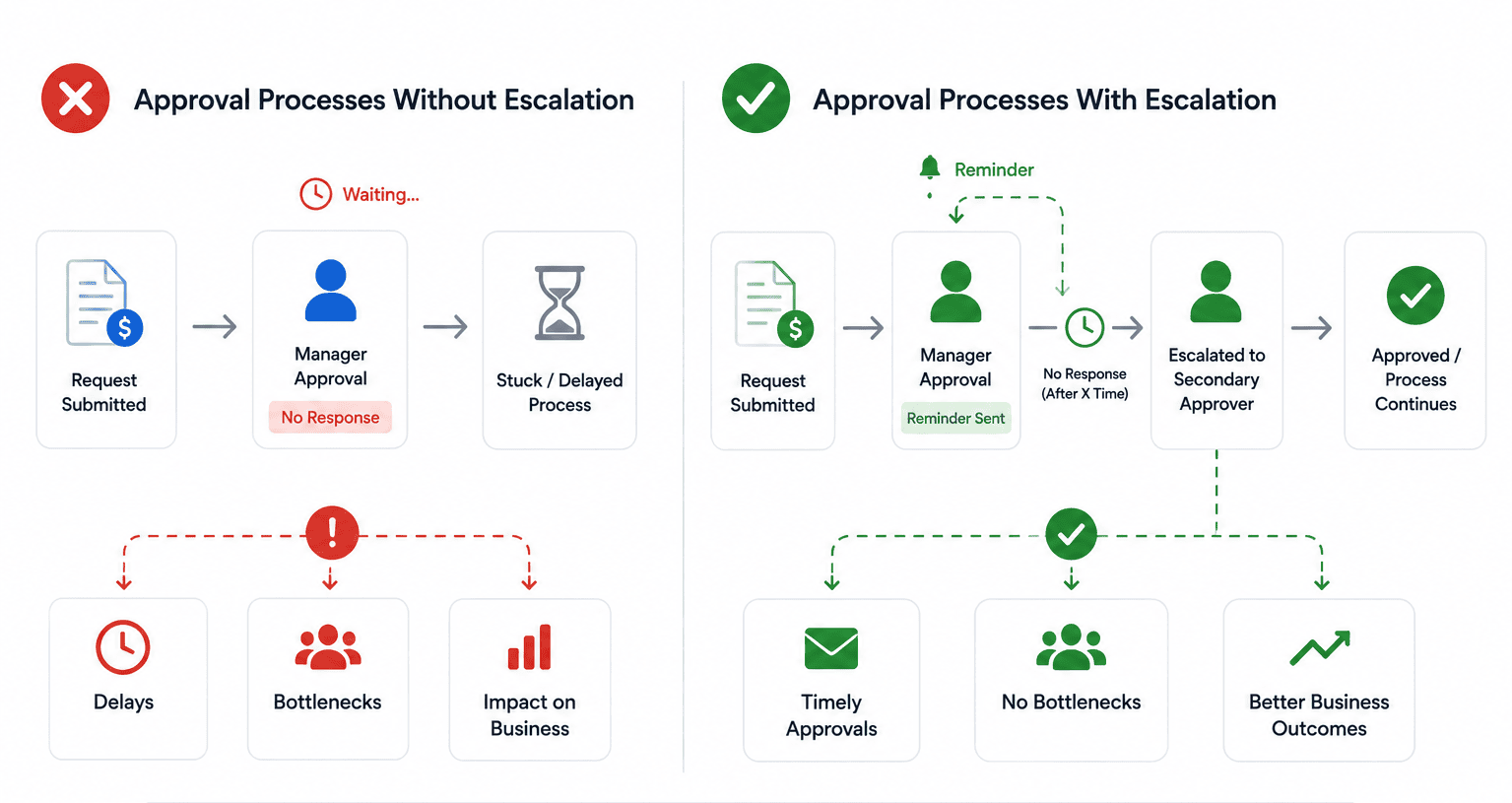
Approvals often become bottlenecks when managers are unavailable or fail to respond.
Best Practice: Configure reminders, escalation rules, and secondary approvers.
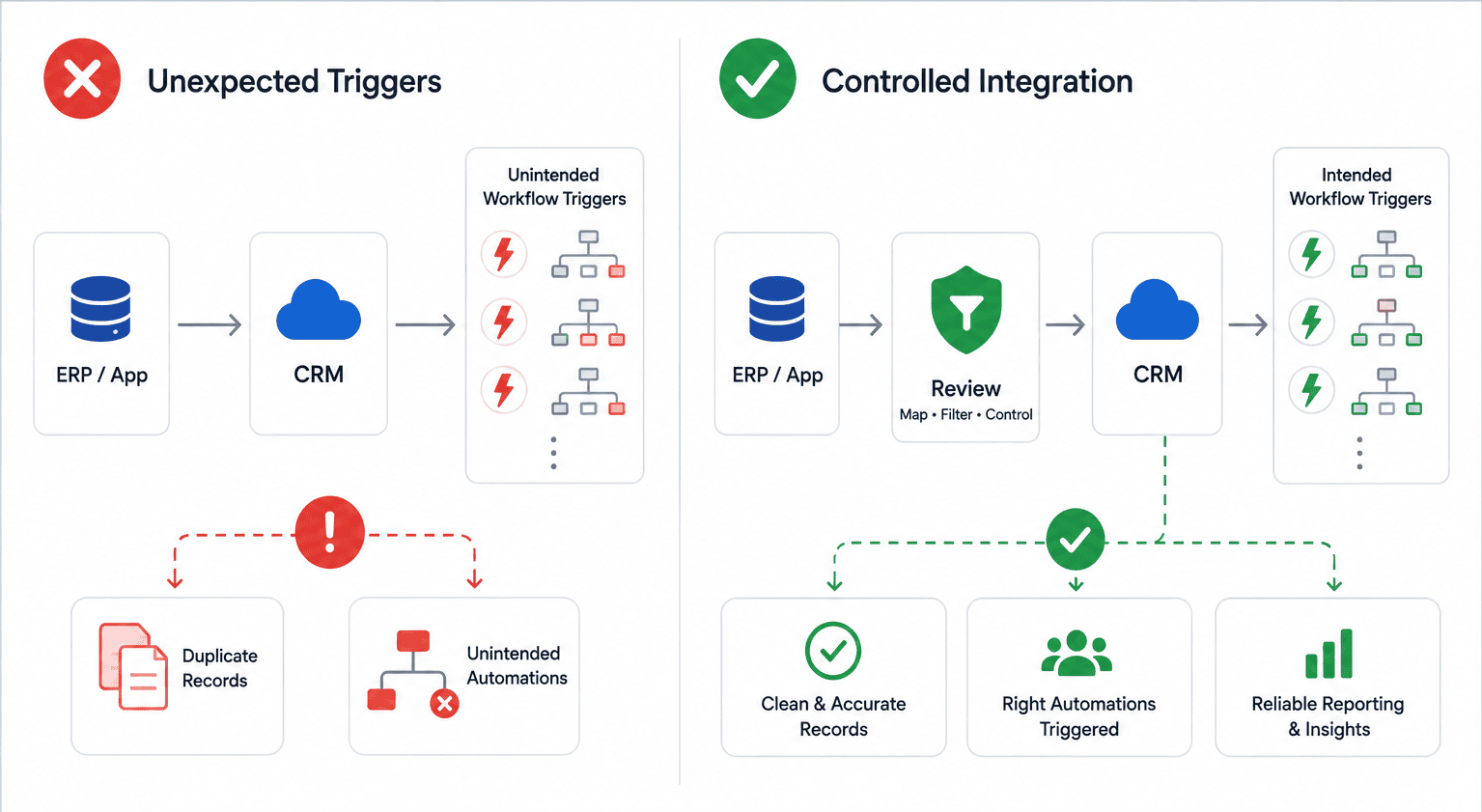
8. Ignoring Automation Impact During Integrations
CRM integrations frequently introduce new records, field updates, and triggers.
Without proper planning, integrations can activate workflows that were never intended to run.
Best Practice: Filter automation by record source and integration type.
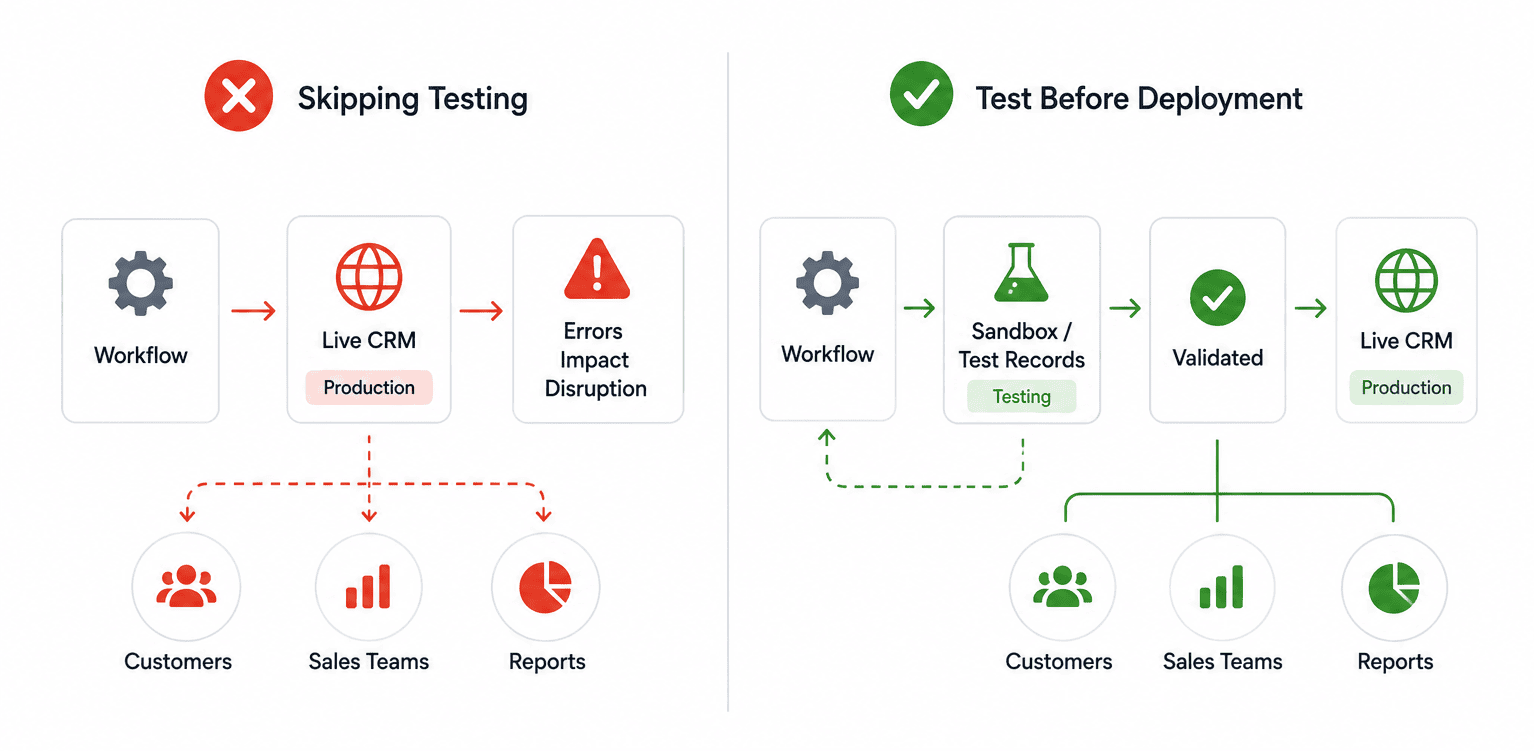
9. Skipping Testing Before Production Deployment
Testing automation directly in a live CRM environment creates unnecessary risk.
A single workflow error can impact customers, sales teams, and reporting accuracy.
Best Practice: Validate every workflow using sandbox environments or test records before deployment.
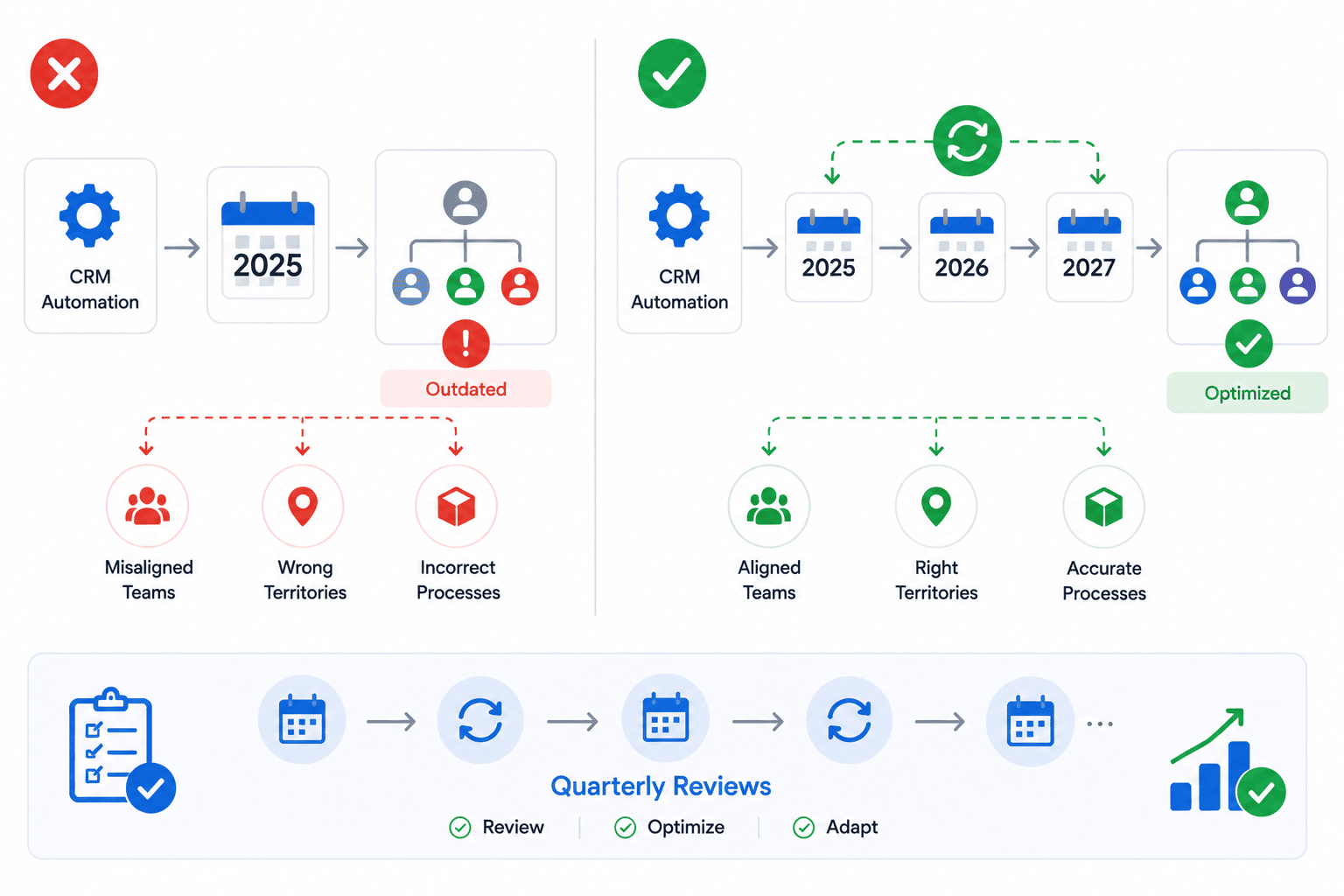
10. Treating Automation as a One-Time Project
Business processes evolve continuously.
Automation that worked twelve months ago may no longer reflect current sales structures, territories, products, or approval requirements.
Best Practice: Schedule quarterly Zoho CRM automation reviews and optimization sessions.
How to Build Reliable Zoho CRM Workflow Automation
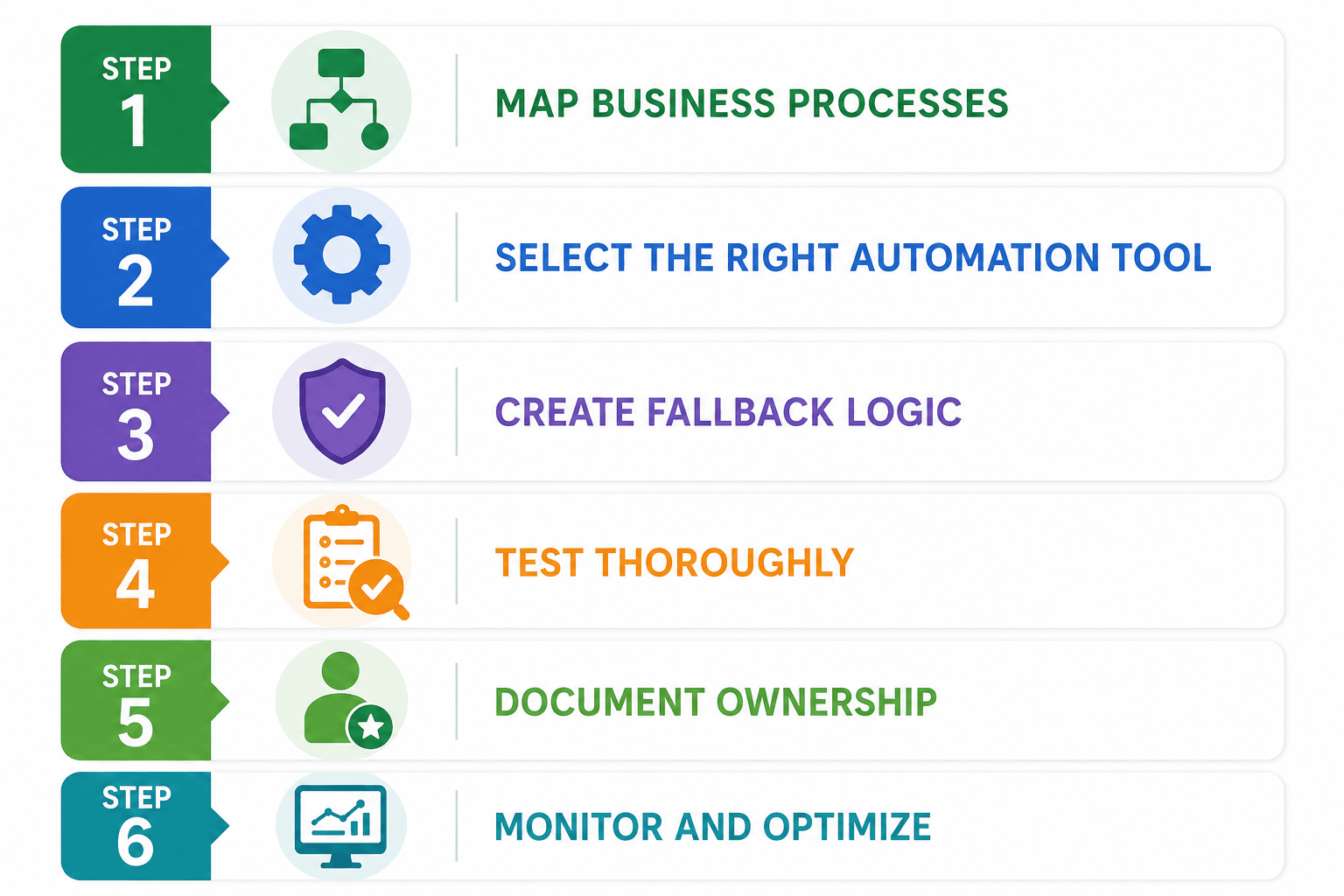
Best Practices for Zoho CRM Automation
Successful Zoho CRM workflow automation is built on a foundation of process design, governance, and continuous improvement.
Follow these best practices:
Start with one high-impact process before automating everything.
Use clear naming conventions for workflows, approvals, and Blueprint transitions.
Document every automation rule and its purpose.
Limit administrative access to prevent unauthorized changes.
Build automation around business processes rather than software features.
Test all changes before deploying them to production.
Monitor workflow execution regularly.
Review automation quarterly to ensure alignment with business goals.
Measure performance using KPIs such as lead response time, conversion rates, and sales cycle length.
The most successful Zoho CRM automation projects are not necessarily the most complex. They are the ones that are carefully planned, consistently maintained, and aligned with real business objectives.
Ready to Enhance Your Zoho CRM Workflows?
Whether you're building automation from scratch, reviewing existing workflows, or fixing process bottlenecks, CRMOZ helps businesses design, implement, and optimize Zoho CRM workflow automation that supports real business outcomes.