Zoho Campaigns 3.0: What’s New and How to Prepare Your Business for Migration
Zoho Campaigns 3.0 is now open to all users: email, SMS and WhatsApp are managed from one place, and the Zia AI assistant writes content in every channel. New users can sign up right away, while existing 2.0 users migrate through Zoho support.
Zia AI: content for email, SMS and WhatsApp
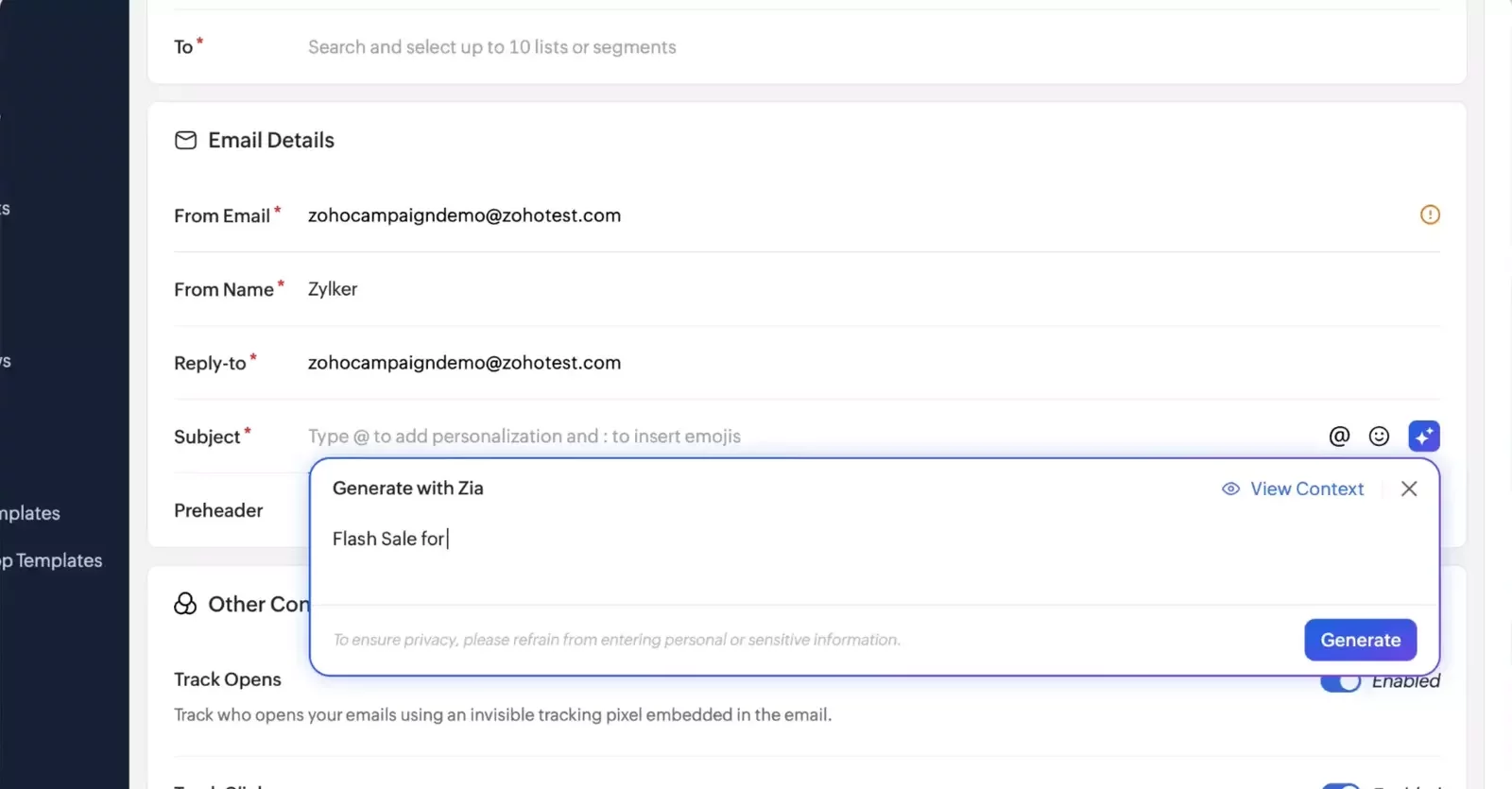
The headline feature of 3.0 is Zia-powered content generation in every channel. Describe your campaign once, and Zia writes with that context in mind: subject lines, pre-headers, body copy, SMS messages, and WhatsApp headers and text.
Drafts are easy to adjust. You can change the tone, shorten or simplify the text, or simply regenerate it. If you wrote the copy yourself, Zia can rephrase it, fix the grammar, translate it or rewrite it.
Alongside this comes Zia Content Analyzer, which checks spelling and grammar and offers content suggestions before you hit send.
Three channels in one place
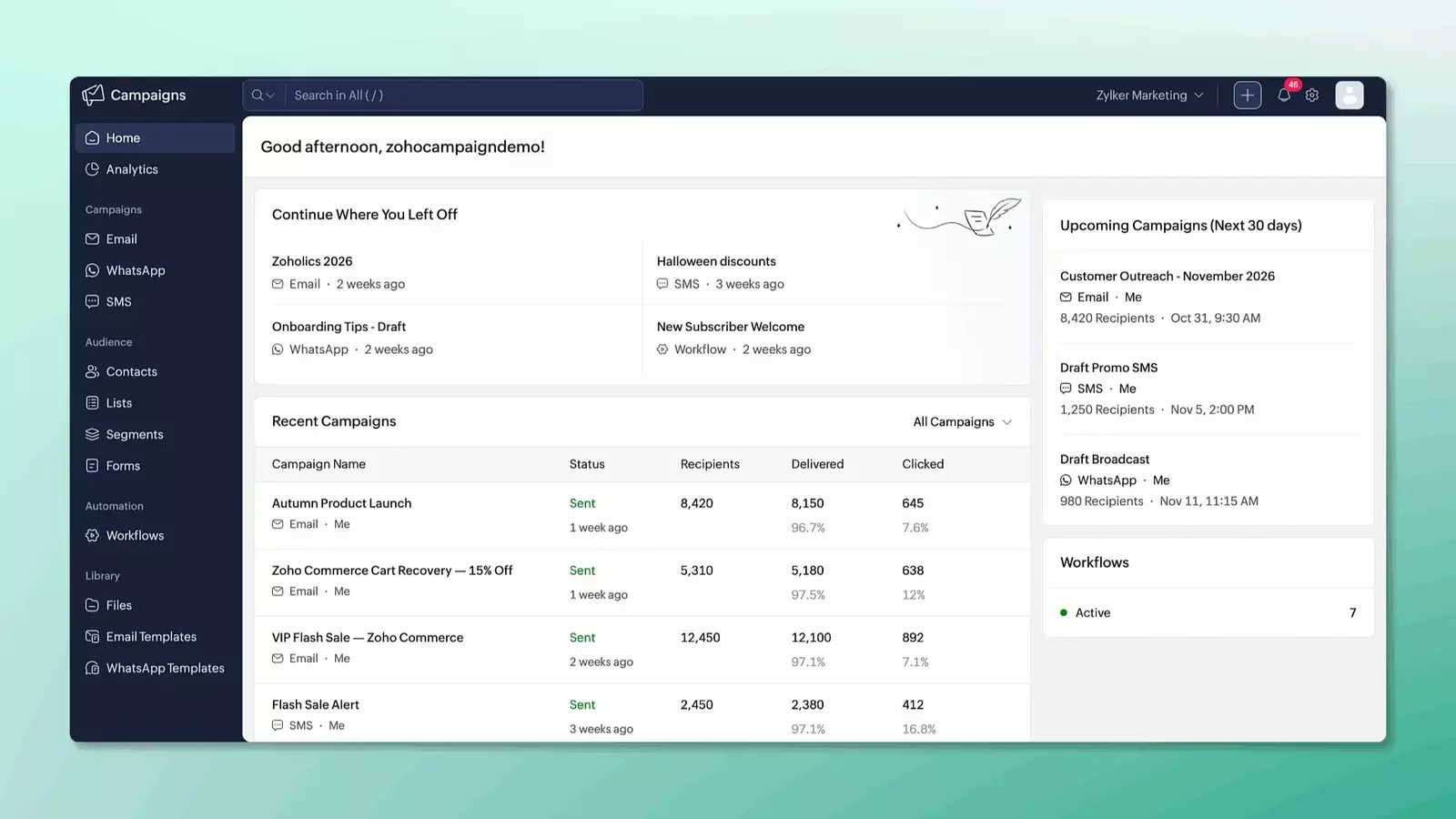
Marketing reaches far beyond the inbox. Zoho Campaigns 3.0 brings email, SMS, and WhatsApp together in one interface, with a redesigned campaign creation process that makes each channel easier to manage.
Email. Create campaigns in fewer steps, combine lists and segments with exclusions, and check the recipient count before sending. Attachment support expands what you can share, while A/B testing lets you compare subject lines, sender addresses, and content simultaneously. Detailed reports track each email as queued, delivered, bounced, or deferred. Zoho also reports sending speeds around four times faster.
WhatsApp (new). Send bulk campaigns using approved templates, add WhatsApp messages to automated workflows, and trigger messages based on customer actions. Delivery and engagement reports help you track performance.
SMS. Connect your gateway more easily, build campaigns through a streamlined setup process, and monitor results with improved reporting.
A template editor rebuilt from scratch
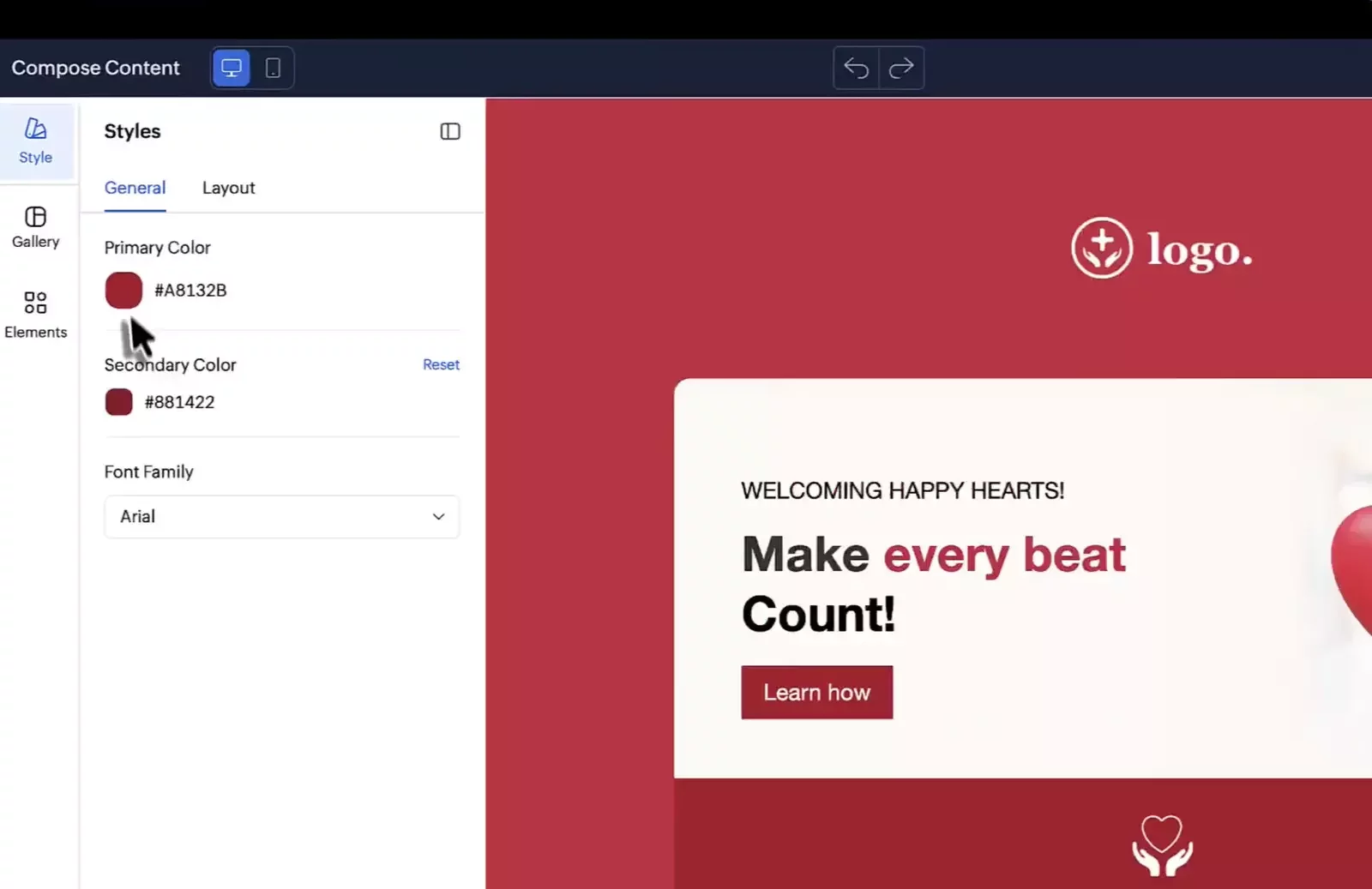
For teams creating emails every day, the redesigned editor is one of the biggest changes in Zoho Campaigns 3.0. It offers more flexible styling, reusable elements, and dedicated tools for mobile design.
Brand themes. Define your primary and secondary colors in the Template Style section to update linked buttons, headings, icons, and highlights automatically. The editor recommends a complementary secondary color, which you can adjust. This makes templates easier to adapt for different brands and campaigns.
Flexible layouts. Customize individual sections with background colors or images, spacing, padding, borders, and layout options.
Separate mobile editing. Fine-tune the mobile version of your email independently of its desktop design.
Reusable blocks and global styles. Bookmark frequently used blocks for future emails and manage shared design settings in one place.
Smaller email files. Lighter output helps emails display more consistently across inbox providers and reduces the risk of clipping.
Dynamic content, planned for the next update. Personalize blocks within a single email for different audience segments using advanced targeting criteria.
Segmentation and contact management
Build segments using multiple criteria, engagement data, and nested conditions, with faster processing.
Contact management improvements include:
Guided imports with custom field creation.
Import history showing added, updated, and skipped records, with reasons.
Five times faster imports, according to Zoho.
Shareable views, detailed contact timelines, and individual or bulk tagging.
Frequency limits and unified contact scoring across email, SMS, and WhatsApp.
Preference pages and signup forms still use the older interface, with updates in progress.
Analytics, e-commerce and CRM
Reporting. There are now dedicated dashboards for email, SMS and WhatsApp, a contact dashboard, and a new e-commerce dashboard covering ROI, revenue, orders and cart performance. The Zoho Analytics integration goes deeper: every contact field and all activity across the three channels and workflows sync automatically. UTM parameter management helps keep tracking consistent.
CRM. Sync is more flexible: pull all contacts or only those matching specific criteria, and import CRM custom views straight into mailing lists. You can also create campaigns from CRM data without switching products. Expanded webhook support sends real-time data to external apps.
How to Prepare for Migration
Pre-Migration Checklist
Before contacting Zoho support:
- Review topics, integrations, sync settings, and user permissions.
- Record scoring rules, check segments, and save drafts that won’t migrate.
Note: Standard Users become Editors and need additional permissions to launch campaigns.
During and After Migration
During migration:
- The web interface is temporarily unavailable.
- Workflows are paused.
- Contacts that meet entry conditions during this period may be skipped rather than queued.
- Scheduled campaigns, API calls, and contact collection through signup forms continue to operate.
Plan the migration for a quieter period.
Once the migration is complete, verify:
- Key automations.
- Access permissions.
- Segment membership.
- Data synchronization.
Getting Started
Start by auditing one typical use case, such as a webinar invitation or a welcome email series. Document:
The contact source.
Audience selection rules.
Campaign messages.
The people responsible for launching the campaign.
Then check how that process will work after migration. Validate a working process first, then gradually introduce the new tools.
Turn Your Marketing Goals into Connected Campaigns
CRMOZ helps you set up Zoho Campaigns, connect it with your CRM, and automate customer communications around your business needs.