Learn Automation Secrets in ZOHO CRM
How much time does your sales team spend updating deal statuses, sending follow-up emails, and checking whether a lead is stuck somewhere in the pipeline?
— "Honestly — too much".
CRM pipeline automation solves exactly this problem. And Zoho CRM is one of the most powerful tools to make it happen — without hiring a single developer.

What Is CRM Pipeline Automation and Why Does Your Sales Team Need It
Pipeline automation means the system moves deals between stages on its own, sends reminders, assigns tasks, and notifies managers at exactly the right moment.
Without automation, your pipeline looks like this:
- managers update deal statuses manually after every call;
- follow-up emails go out "when someone remembers";
- leads sit at the same stage for weeks without anyone noticing;
- the manager finds out about the problem only at the Friday meeting.
With automation — the system handles all of this in real time.
How it Works in Zoho CRM
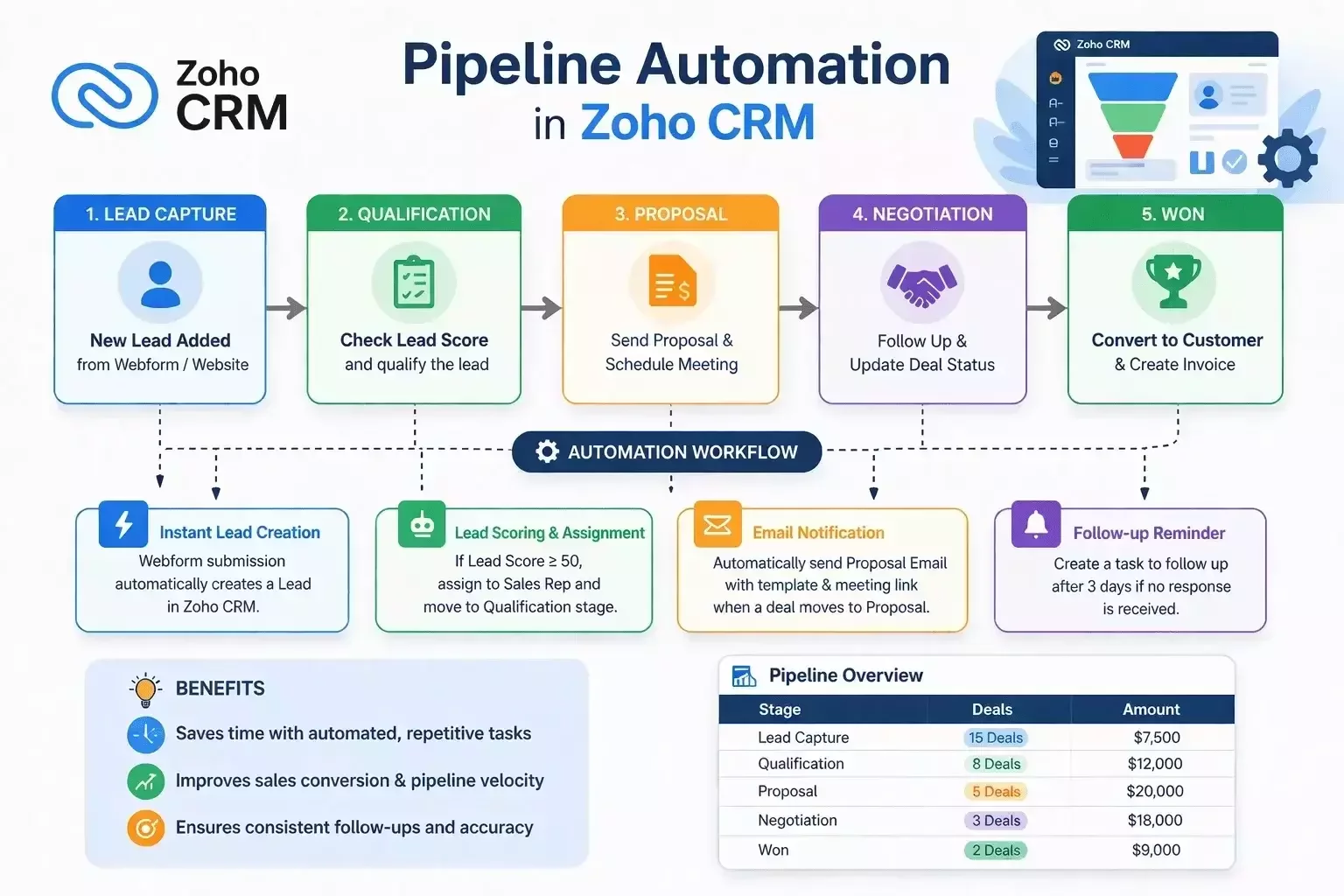
Zoho CRM lets you set up pipeline automation through several built-in tools — no coding required:
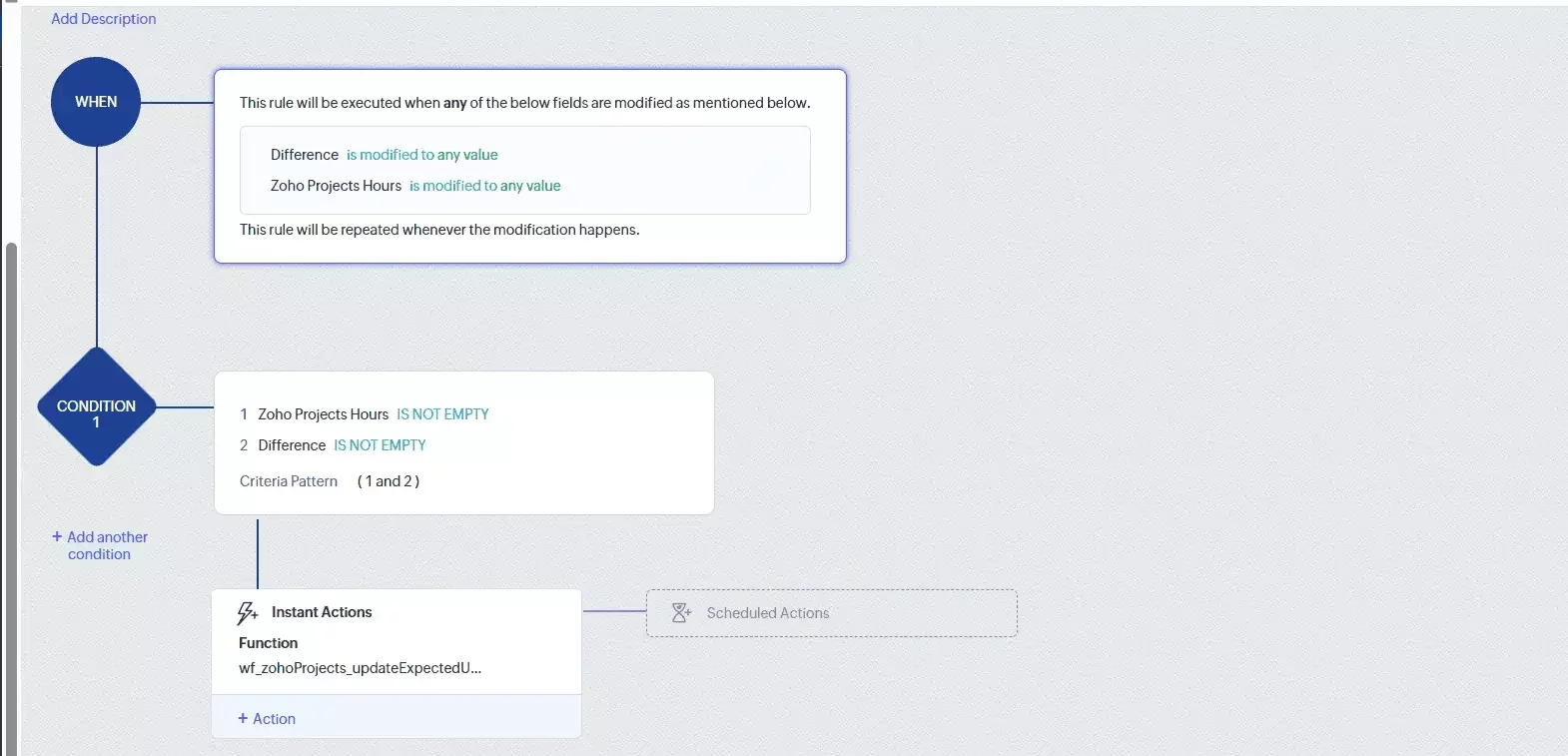
Workflow Rules
This is the foundationof automation. You define a condition — the system takes action.
Example: as soon as a deal moves to the "Proposal Sent" stage, Zoho CRM automatically:
creates a task for the manager to call in 2 days;
sends the client a confirmation email;
updates the "Expected Close Date" field.
No manual steps. No "I forgot."
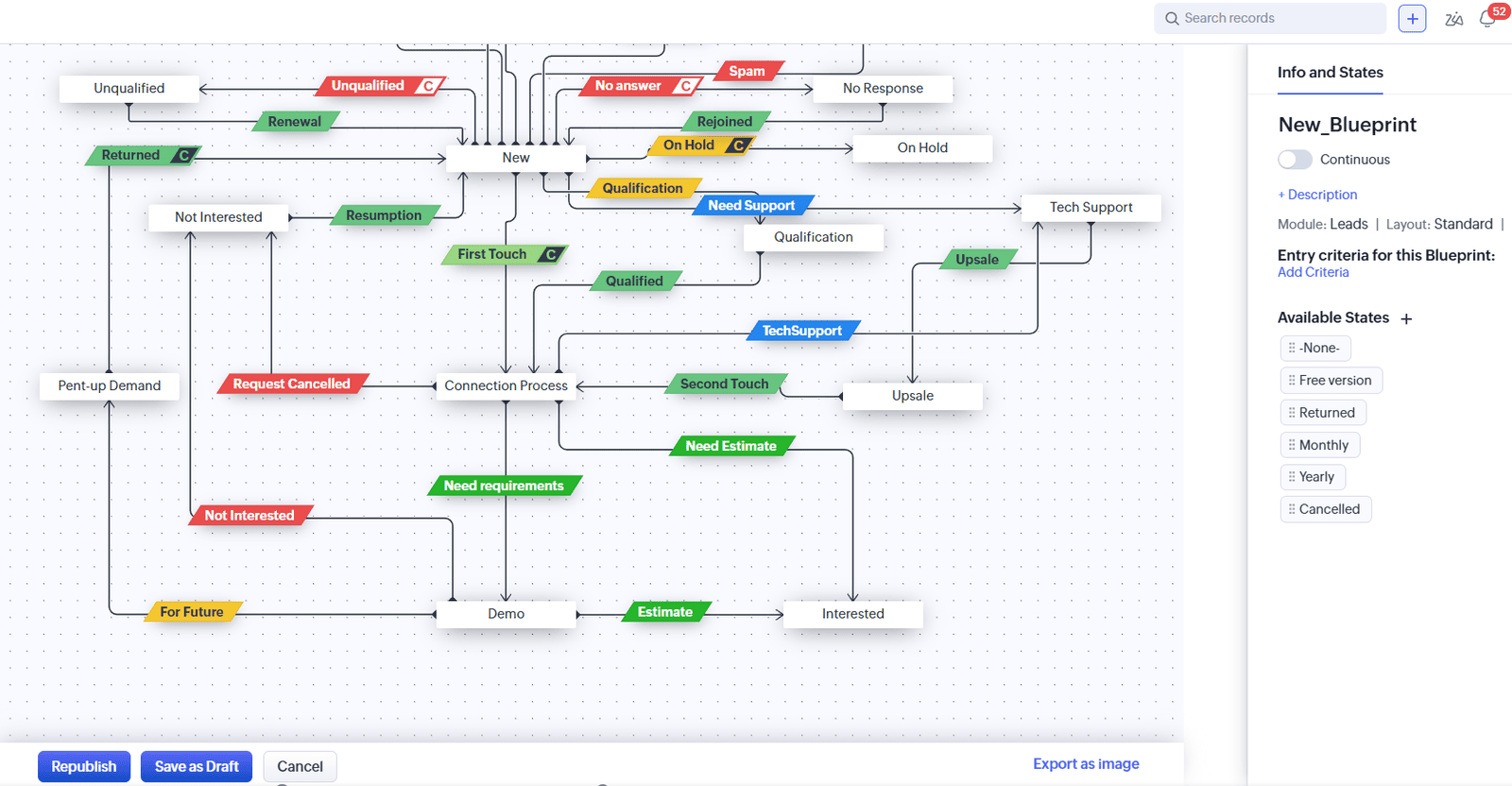
Blueprint
Blueprint is a more advanced tool. It lets you map out a precise scenario for each pipeline stage: what the manager must do before a deal moves forward, which fields are required, who needs to approve the transition.
This is especially valuable for B2B sales with long deal cycles — no lead can "fall through the cracks" because the system simply won't allow the next stage without the required actions being completed.
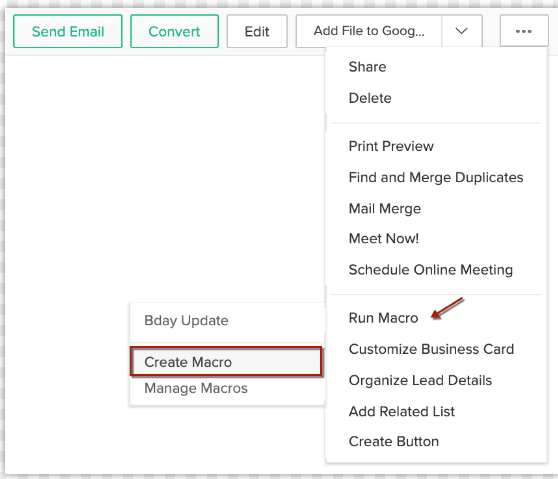
Macros
One button — multiple actions at once. The manager clicks "Send Proposal" and Zoho CRMautomatically sends a templated email, updates the deal status, creates a follow-up task, and logs the activity. Five manual steps replaced by one.
Scoring Rules
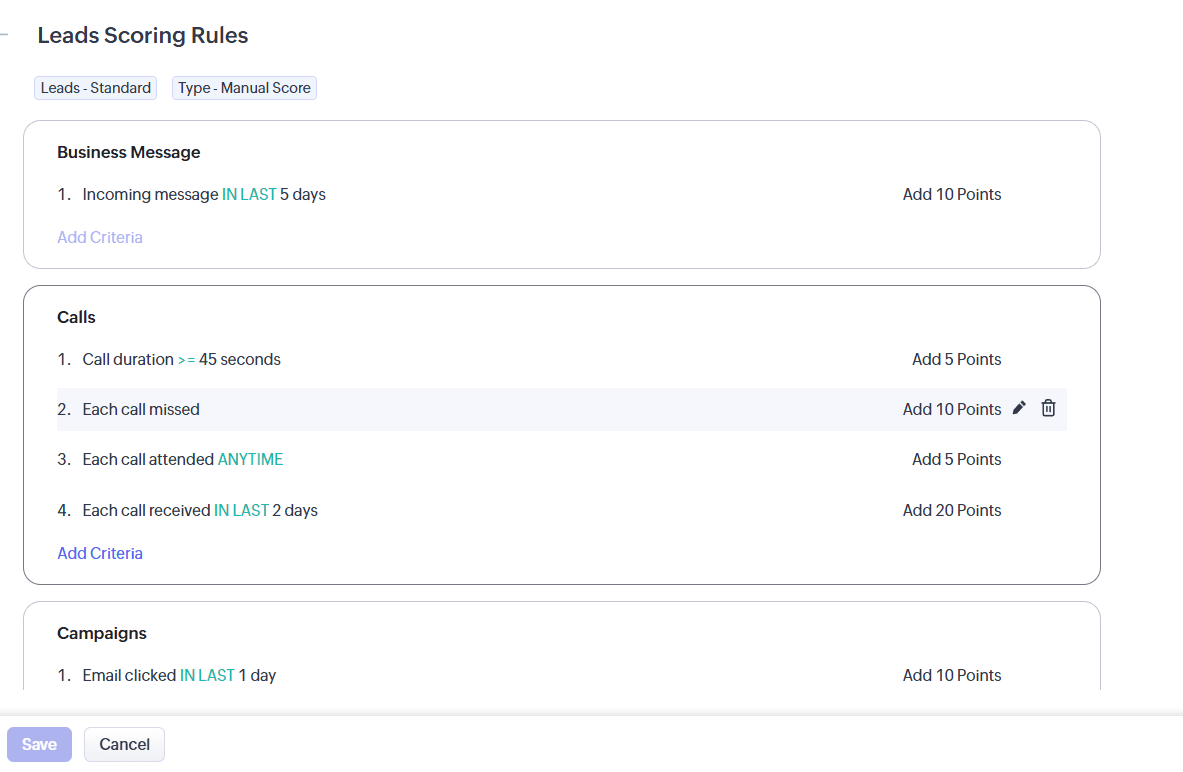
Zoho CRM automatically scores every lead based on criteria you define: opened an email — plus 5 points, visited your website — plus 10, answered a call — plus 20. Managers see who is "hot" right now and focus their energy there — instead of wasting time on cold contacts.
Practical Use Cases for Marketers and Sales Managers
Get the PDF Report for Free!
Automatic Nurturing After a Lead Magnet
A prospect downloads your checklist or registers for a webinar. Zoho CRM automatically:
- creates a contact and a deal in the right pipeline;
- launches a warming email sequence;
- after 3 days, creates a task for the manager to call — but only if the lead opened at least 2 emails.
Catching Stalled Deals
A deal hasn't moved in 7 days? Zoho CRM automatically sends the manager a reminder and notifies the team lead. No deal goes quiet and disappears in the pipeline
Automation After a Won Deal
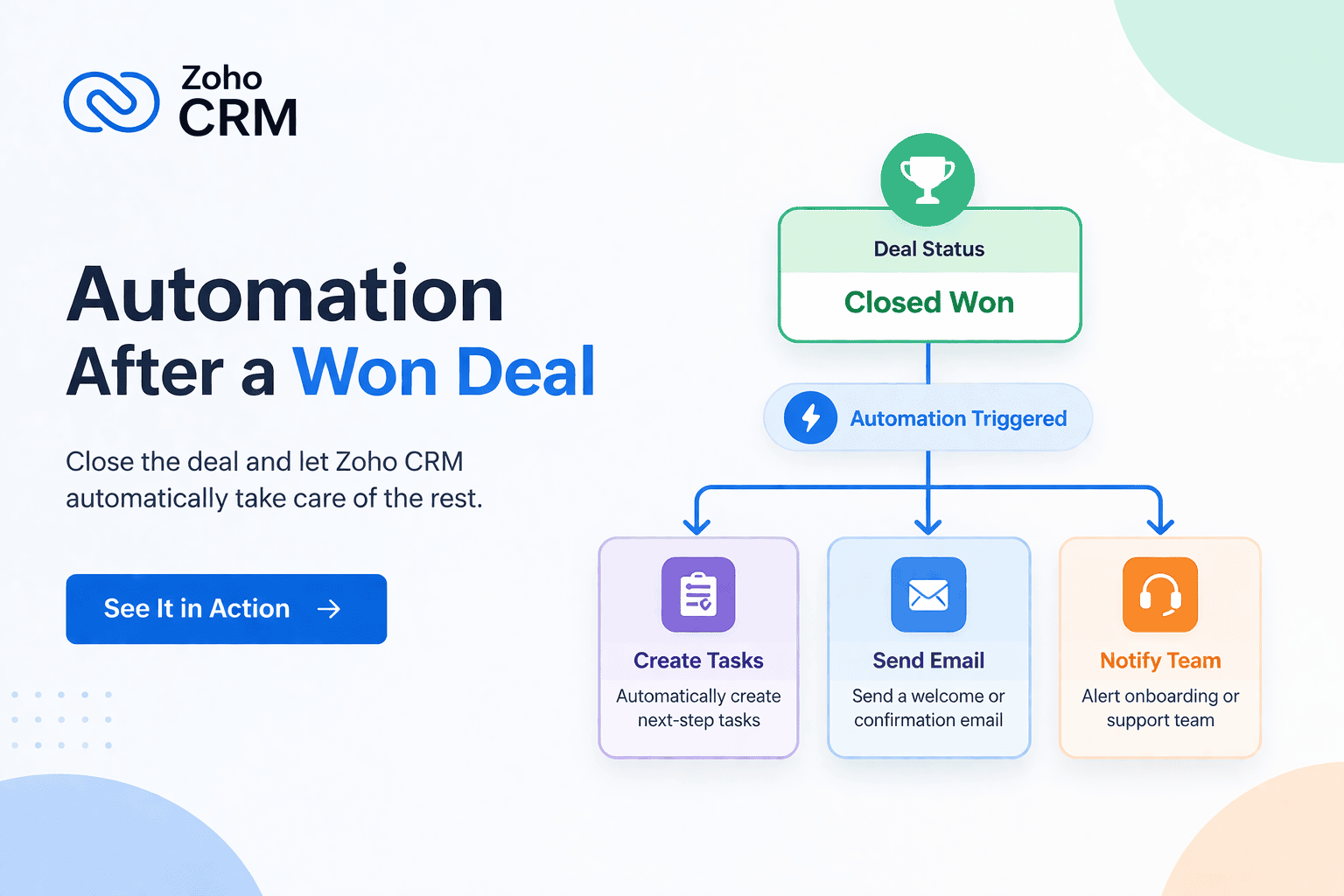
The deal is closed — great. But then comes onboarding, invoicing, and handoff to the service team. Zoho CRM automatically kicks off the entire chain: creates tasks for the relevant departments, sends the client a welcome email, and logs the next contact date.
Real-Time Pipeline Reporting
A marketer wants to know how many leads from a specific campaign reached the "Negotiation" stage. A sales manager wants to see their pipeline for the week ahead. Zoho CRM generates these reports automatically — no manual spreadsheet work required.
These scenarios are not limited to one industry. Whether you're in SaaS, real estate, or service-based business, electronics manufacturing companies, automation can be adapted to your pipeline. For example, in real estate, automated lead tracking and follow-ups help agents respond faster and close deals more efficiently
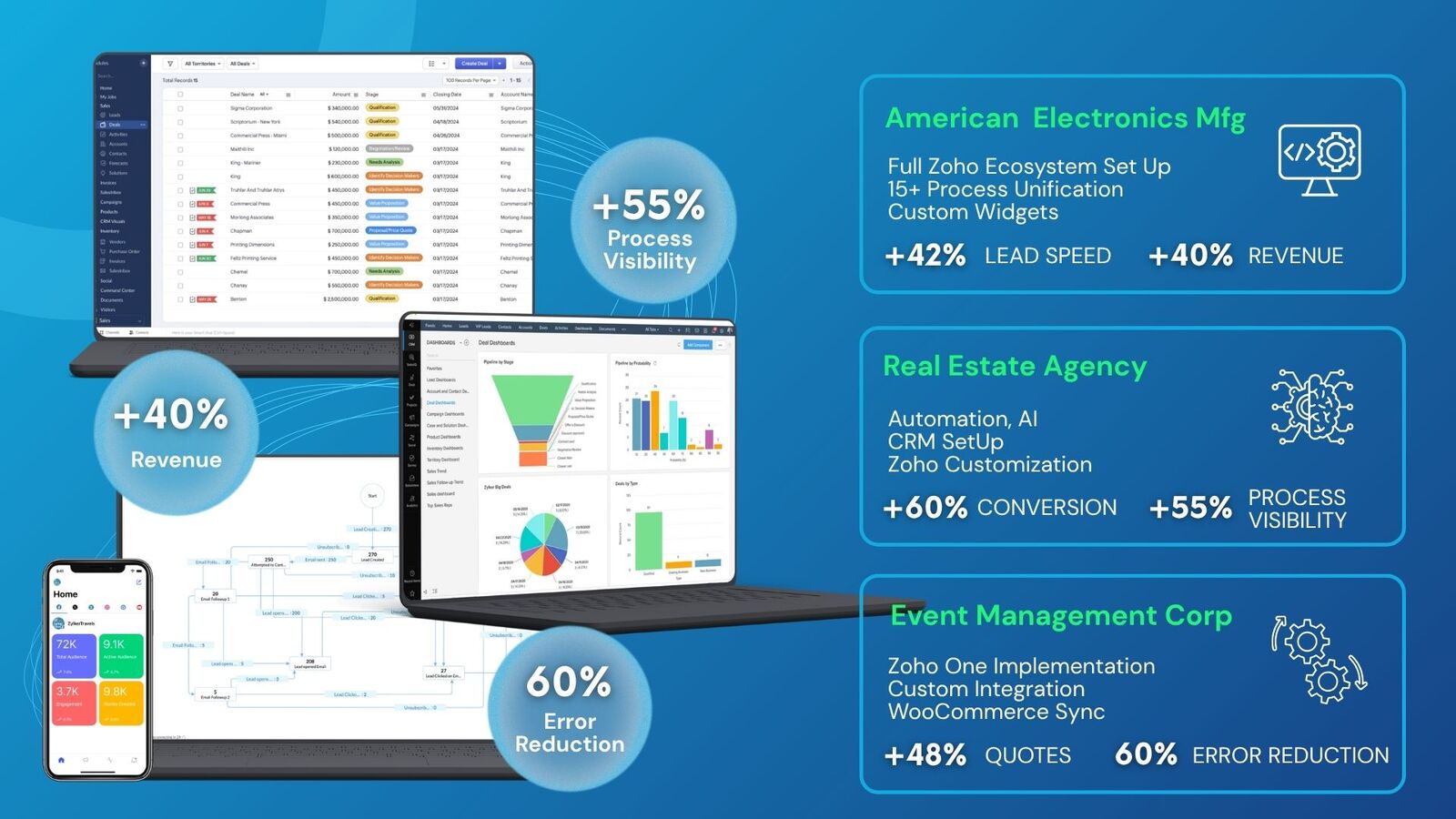
What CRM Pipeline Automation Actually Delivers Three things:
Speed. Deals move through the pipeline without delays caused by human error. Follow-ups happen on time — not "when someone gets around to it."
Visibility. Leadership sees the status of every deal in real time. Problems become visible before they turn into lost revenue.
Focus. Managers spend their time talking to clients — not updating fields in a CRM. The system takes the routine off their plate.