Agenzo: An AI Assistant Built Specifically for Zoho
Working with Zoho often means moving between product documentation, API references, Deluge examples, configuration screens, and project notes. A simple question can involve several applications, a workflow rule, Blueprint, a custom function, and an external API. General-purpose AI assistants may lack this Zoho-specific context or direct links to relevant sources, creating extra verification work.
Agenzo is an AI assistant for Zoho that supports product research, Deluge development, integration planning, and project scoping through three specialized modes.
What Is Agenzo?
Agenzo is a specialized Zoho AI assistant. Instead of approaching Zoho as one subject among many, it is designed around Zoho products, implementation methods, APIs, Deluge scripting, automation practices, CRM architecture, and practical implementation scenarios.
Its coverage includes Zoho CRM, Creator, Desk, Books, Inventory, Projects, Analytics, Flow, Campaigns, SalesIQ, Forms, Sign, People, Recruit, and Billing. Both technical and non-technical users can research products, investigate workflows, generate or debug code, and prepare implementation plans.
Why Use a Zoho-Focused AI Assistant?
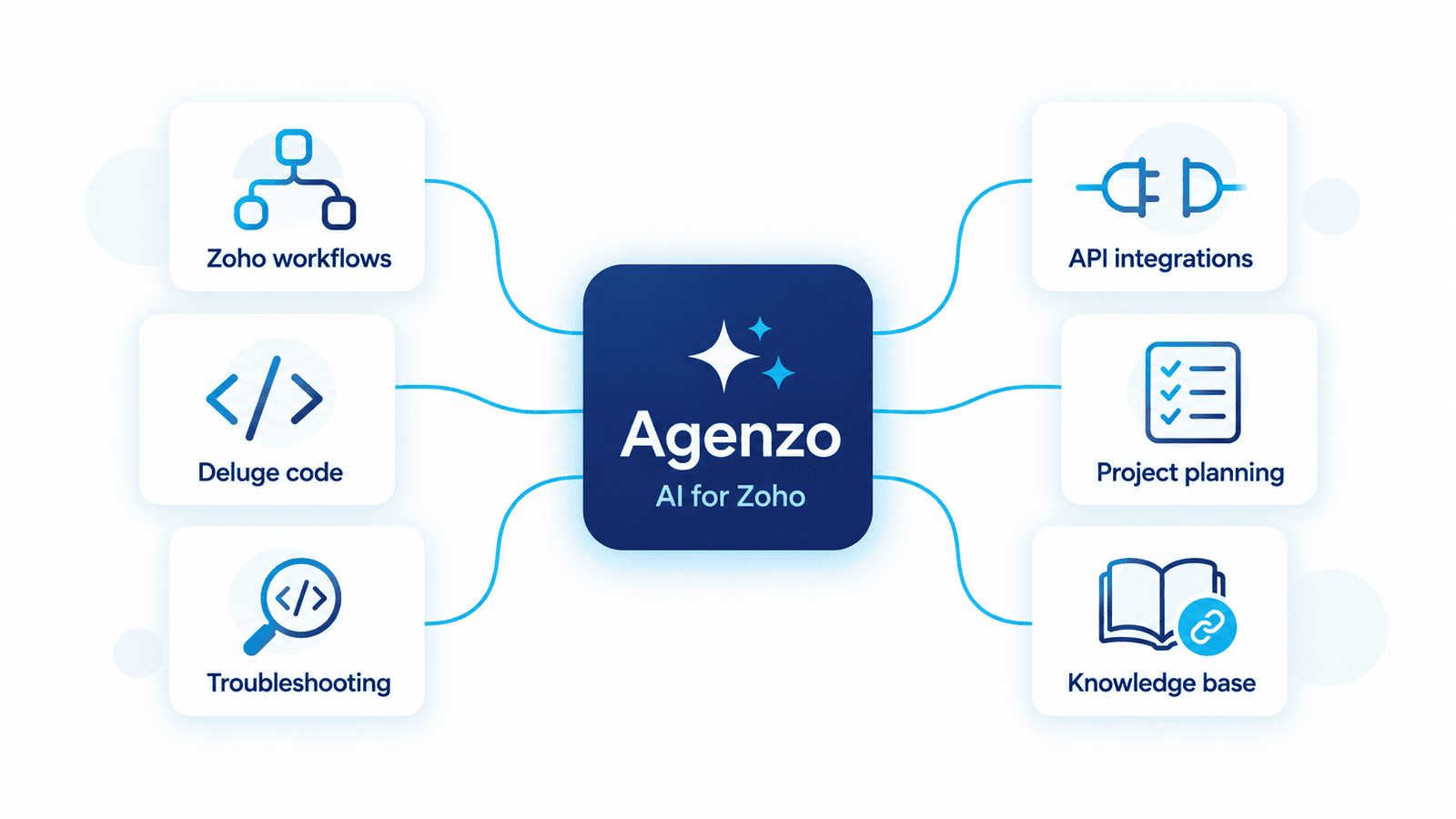
Zoho projects require familiarity with product relationships, platform conventions, and scripting syntax. Choosing an implementation approach may involve native automation, Zoho Flow, Deluge, Catalyst, or external tools.
Agenzo supports this work by helping users:
Understand Zoho features, workflows, and Blueprint logic.
Generate and explain Deluge code.
Investigate syntax, API, and automation errors.
Plan REST API, OAuth, and webhook connections.
Match requirements to suitable implementation approaches.
Find knowledge-base answers with source links in General Mode.
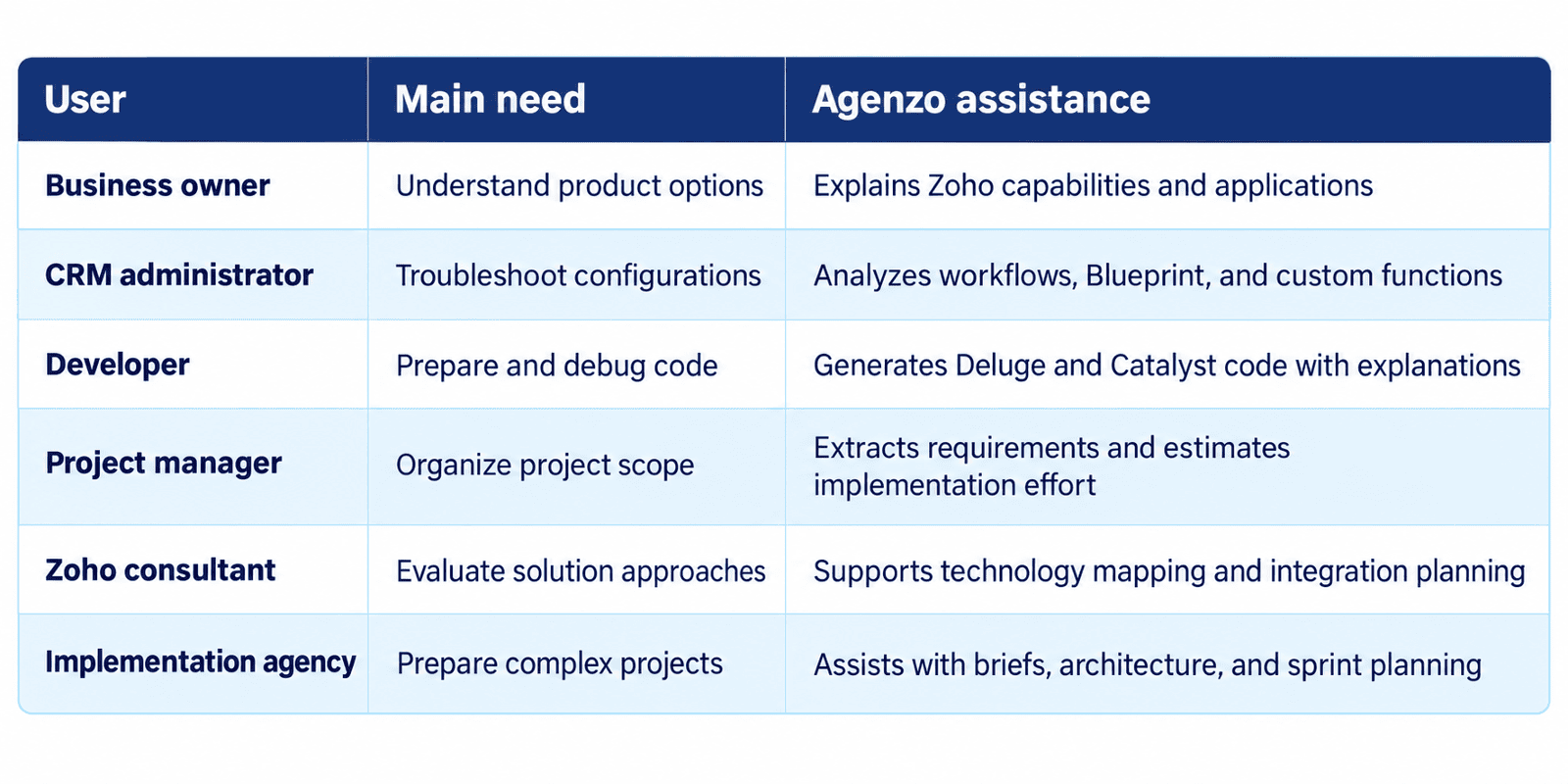
How Agenzo Helps Different Users
Example Workflow: From Business Requirement to Zoho Solution
Suppose a company wants to capture and qualify leads, create sales tasks, synchronize data, and build dashboards. Agenzo could support preparation as follows:
Clarify the requirement. Separate business goals from individual feature requests and highlight unanswered questions.
Identify the applications. Map relevant functions to products such as Zoho CRM, Flow, Analytics, or Creator where appropriate.
Recommend an approach. Compare native automation with custom scripting or integration tools.
Draft automation logic. Describe triggers, conditions, actions, exceptions, and ownership rules.
Generate or explain code. Prepare an initial Deluge function when native configuration is insufficient.
Outline integration requirements. Identify API endpoints, authentication, field mapping, webhooks, and error handling that require implementation.
Prepare project phases. Organize discovery, configuration, development, testing, deployment, and training into a preliminary plan.
Flag expert decisions. Identify areas that still require account access, stakeholder input, security review, or technical validation.
Agenzo structures the path to a solution but does not replace implementation, testing, or deployment by qualified specialists.
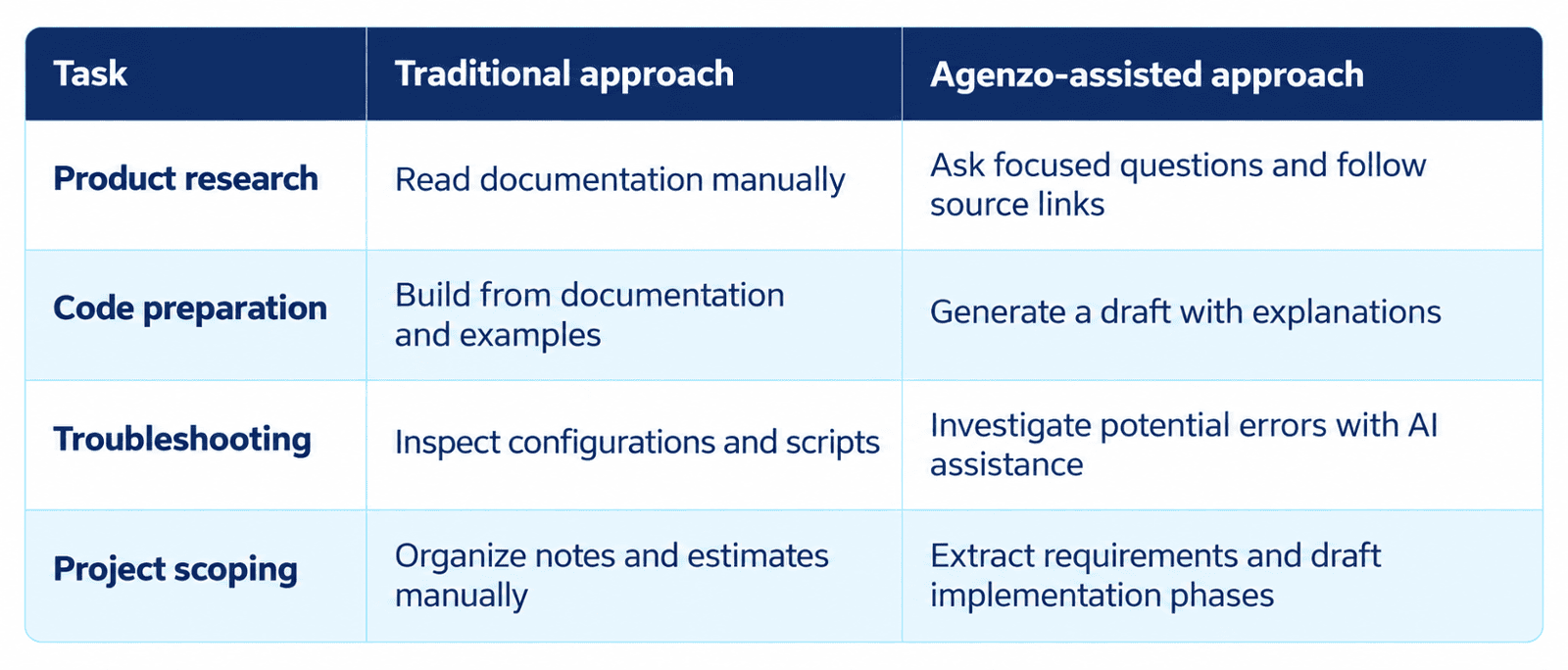
Traditional Research vs. Agenzo Assistance
Privacy and Human Oversight
According to the Agenzo page, conversations remain private and are not used to train public AI models.
Generated code should be reviewed and tested before use. Architecture recommendations and effort estimates also require expert validation. Agenzo supports preparation; implementation quality still depends on the people configuring, testing, and maintaining the solution.
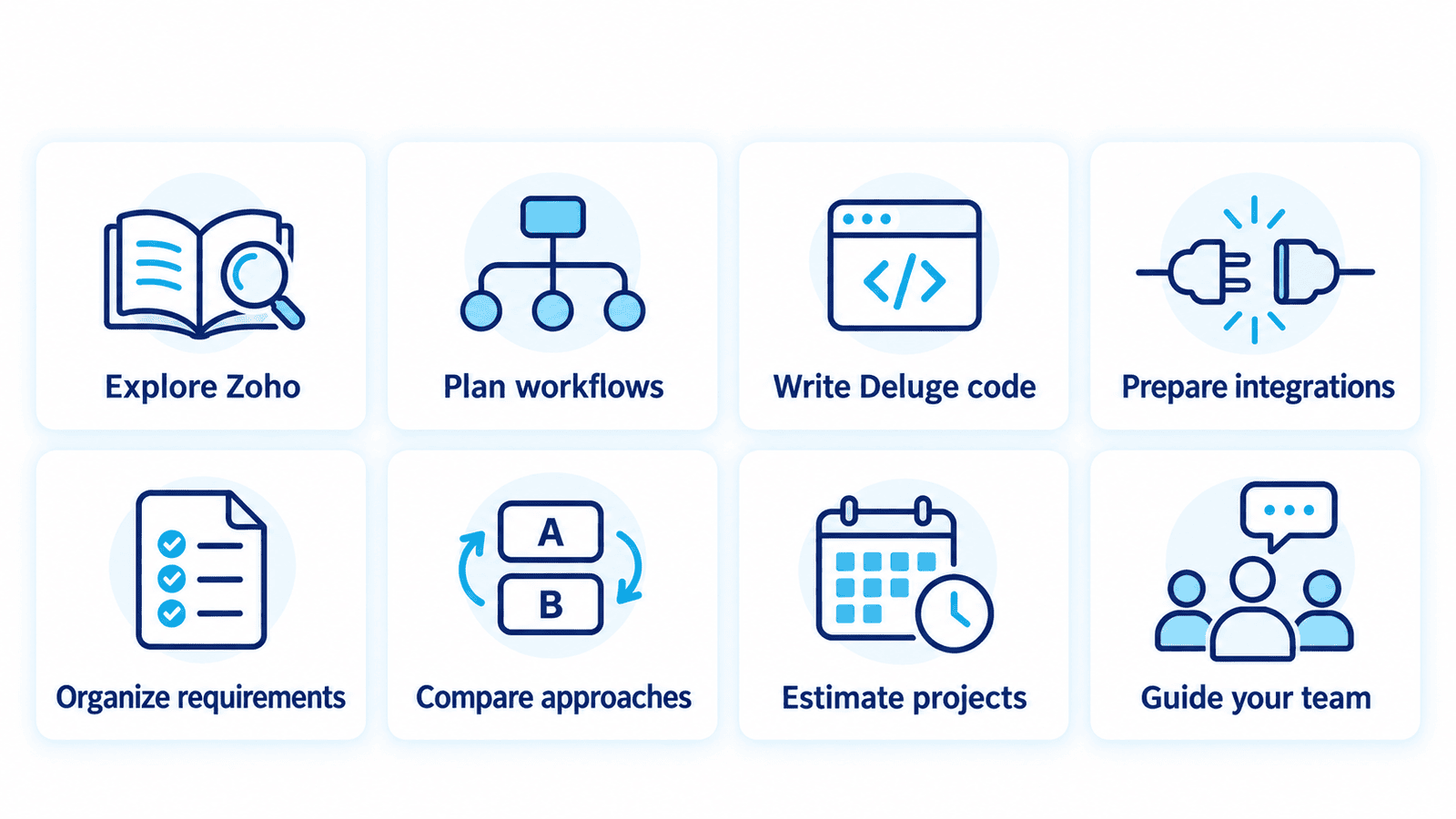
When Should You Use Agenzo?
Frequently Asked Questions
Can Agenzo generate Deluge code?
Yes. It generates scripts, explains their logic, and helps debug existing code.
Does it support API integrations?
Yes. Agenzo assists with REST APIs, OAuth, webhooks, custom integrations, and third-party connections.
Is Agenzo suitable for beginners?
Yes. General Mode explains Zoho concepts in accessible language.
Is Engineer Mode included in Trial?
No. Trial includes General and Developer modes. Engineer Mode is available in Standard and Professional.
Get Started with Agenzo
Try Agenzo to explore General and Developer modes, or choose a paid plan for Engineer Mode. For hands-on implementation, customization, and integrations, contact CRMOZ.